Published in AI Tools & Reviews
10 Best AI Tools for Work in 2026: Which Should You Use?
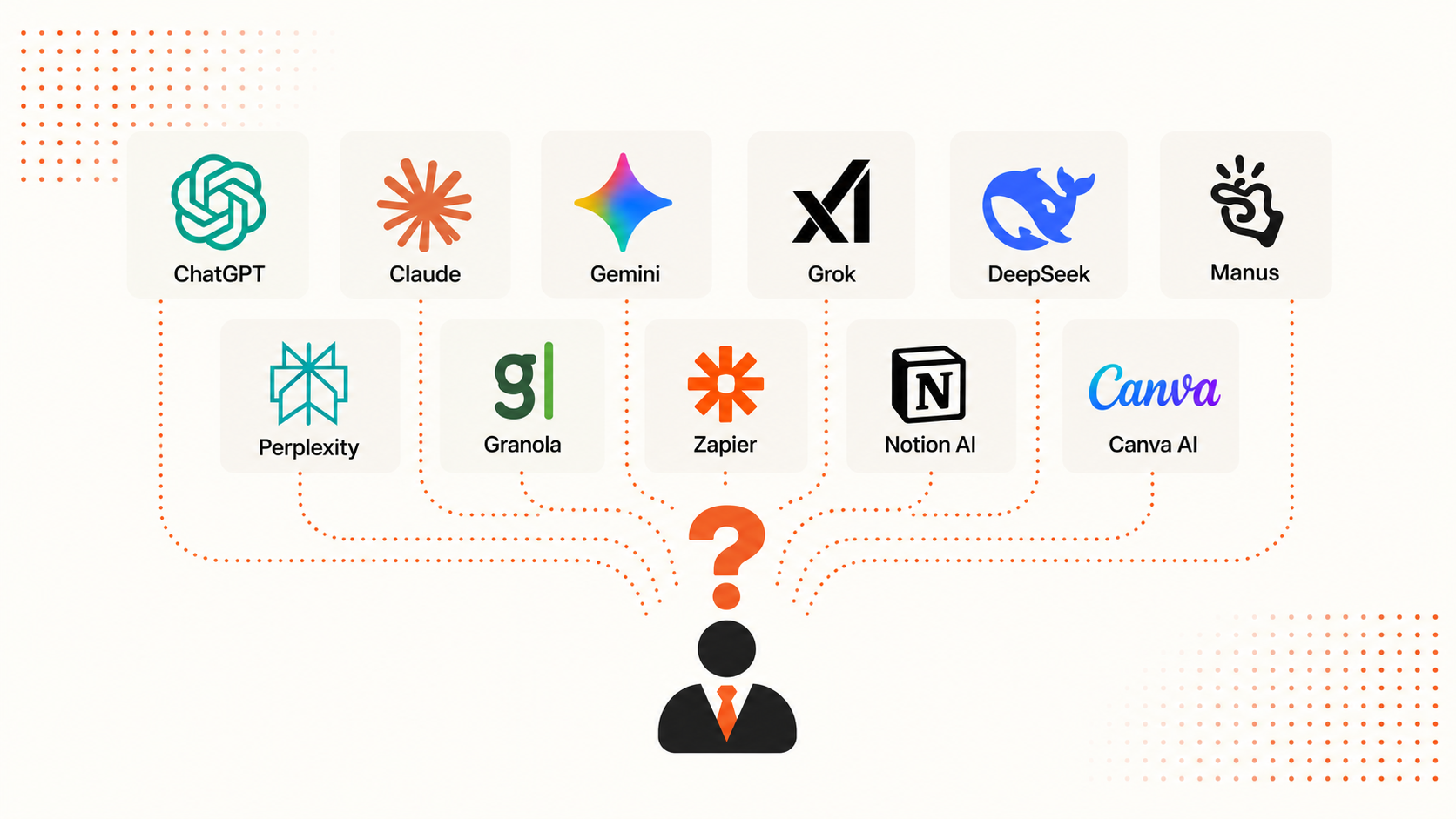
The best AI for work depends on the job you need to finish. Start by comparing ChatGPT and Claude for everyday writing and planning. Consider Gemini when your work already lives in Google Workspace. For more specific needs, this shortlist includes Perplexity for web research, Granola for meeting notes, Zapier for recurring workflows, Notion AI for internal knowledge, Canva AI for marketing visuals, Manus for delegated tasks, and ML Clever for visual business documents.
Those are starting points for evaluation. Many of these tools overlap, and the useful distinction is often where you supply the context, review the result, and hand it over to someone else.
This guide compares 10 AI tools for business and everyday office work, with screenshots, example tasks, and the tradeoffs to check before adding another subscription. You can jump straight to the comparison table, individual tools, or decision guide.
Editorial disclosure: ML Clever publishes this guide and is included in the comparison. Recommendations combine official product documentation reviewed on October 8, 2026 with the examples shown below. The examples use different tasks; they do not establish a performance ranking. Captions distinguish generated responses, work in progress, and vendor pages.
The best AI tools for work at a glance
Use this table to choose a starting point based on your task. The order follows types of work, rather than a numerical score.
Swipe across the table to see all columns.
| Tool | Start here when you need to… | Main tradeoff to check |
|---|---|---|
| ChatGPT | Develop ideas, compare options, and plan a piece of work | Separate useful suggestions from unsupported assumptions |
| Claude | Draft and revise client emails, briefs, and documents | Check tone, factual detail, and the final file format |
| Gemini | Work with information in Google's apps or explore a dataset | Confirm account access and review the interpretation of numbers |
| Manus | Delegate a task with several research or execution steps | Review the completed work, sources, and credit usage |
| ML Clever | Create a designed proposal, report, or presentation | Check editing, export requirements, and token allowance |
| Perplexity | Research a question on the web with linked sources | Read the sources behind the claims that matter |
| Granola | Turn meeting discussions into usable notes and follow-ups | Check names, decisions, owners, and the capture setup |
| Zapier | Repeat a workflow across business apps | Allow time for connections, testing, and ongoing maintenance |
| Notion AI | Find and reuse knowledge across an internal workspace | Keep source pages current and check access permissions |
| Canva AI | Produce marketing graphics and adapt them to different formats | Review the design, wording, and available AI allowance |
What the examples in this guide show
Several examples use Clearline Cleaning, a fictional commercial cleaning company with 30 employees and 20 recurring clients. Its work includes inspection reports, client communication, quotes, and operating reviews. Northstar Design is its fictional prospective client.
The ChatGPT, Claude, and Gemini screenshots show generated responses. The Manus and ML Clever screenshots show tasks being started. The remaining screenshots show official product or help pages. These are useful views of the tools, but they provide different kinds of evidence: a signup page cannot demonstrate a successful automation, and a task being started cannot establish the quality of its finished deliverable.
The evaluation questions throughout this guide are there to help you run your own trial. We do not assign accuracy scores or claim measured time savings from these screenshots.
10 AI tools to consider for your work
1. ChatGPT: everyday planning and working through decisions
ChatGPT is a useful starting point when you need to turn a loose question into a structured piece of work. Give it the decision, relevant facts, constraints, and the format you want back. OpenAI's business impact guidance illustrates this approach: supply the evidence, ask for an analysis, and keep confirmed results separate from interpretation.
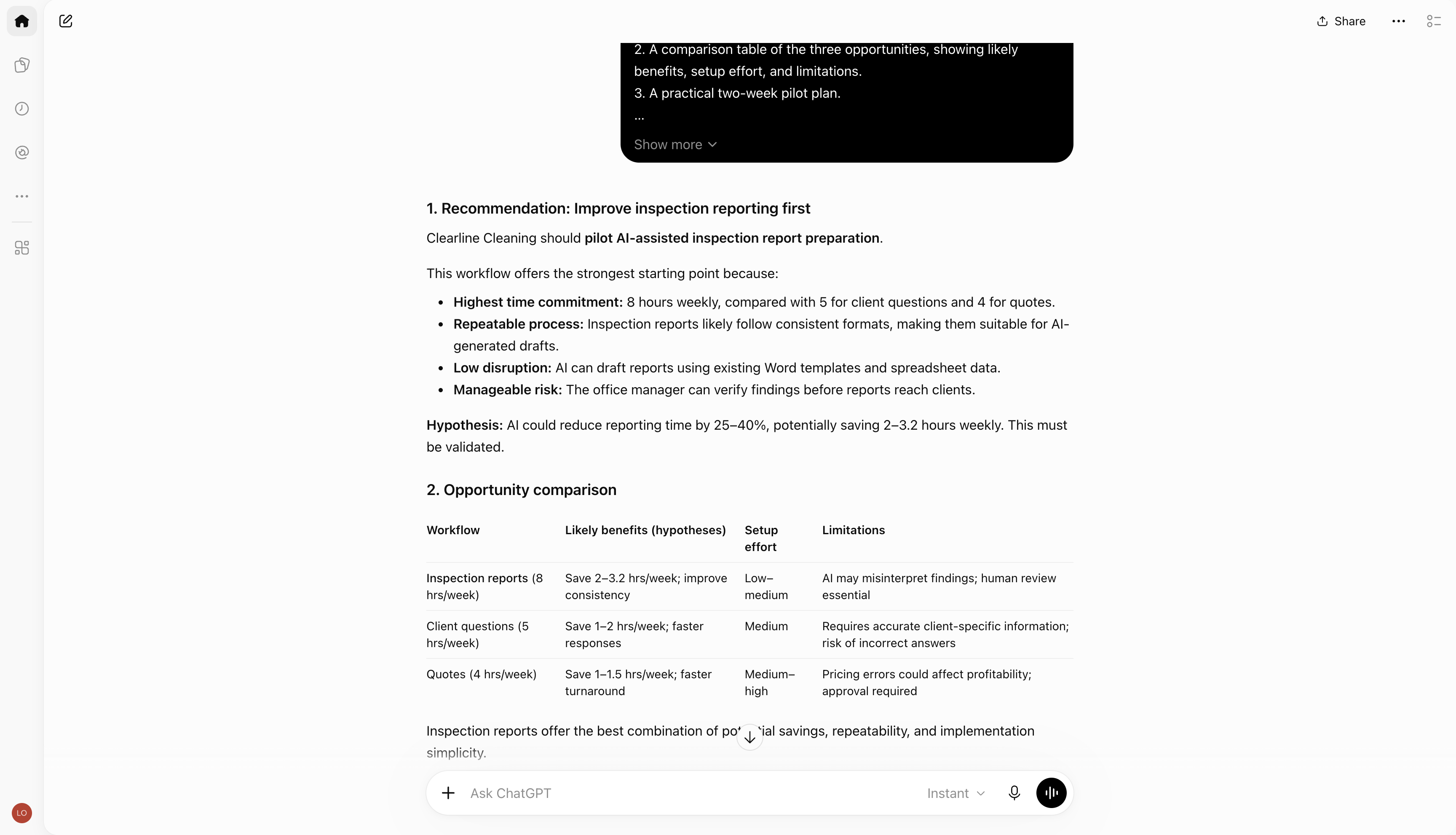
The example: Clearline spends eight hours a week preparing inspection reports, five answering client questions, and four drafting quotes. ChatGPT recommends starting with inspection reporting and lays out an opportunity comparison. That gives an operations manager something concrete to discuss and challenge.
What needs review: The response suggests a potential reduction in reporting time. That is a proposal to test, not a result the company has achieved. It also assumes inspection reports follow a repeatable format; someone who knows the process needs to confirm that.
Choose it when: You want help shaping the brief, comparing options, or deciding what to investigate next. Measure the value by the quality of the decision and the revisions required, rather than the confidence of the first answer.
2. Claude: client communication and document revision
Claude is worth evaluating for writing that needs to preserve detail while fitting a particular audience. A useful trial is a client email with a few uncomfortable facts: the draft needs to be clear, accountable, and specific without inventing promises.
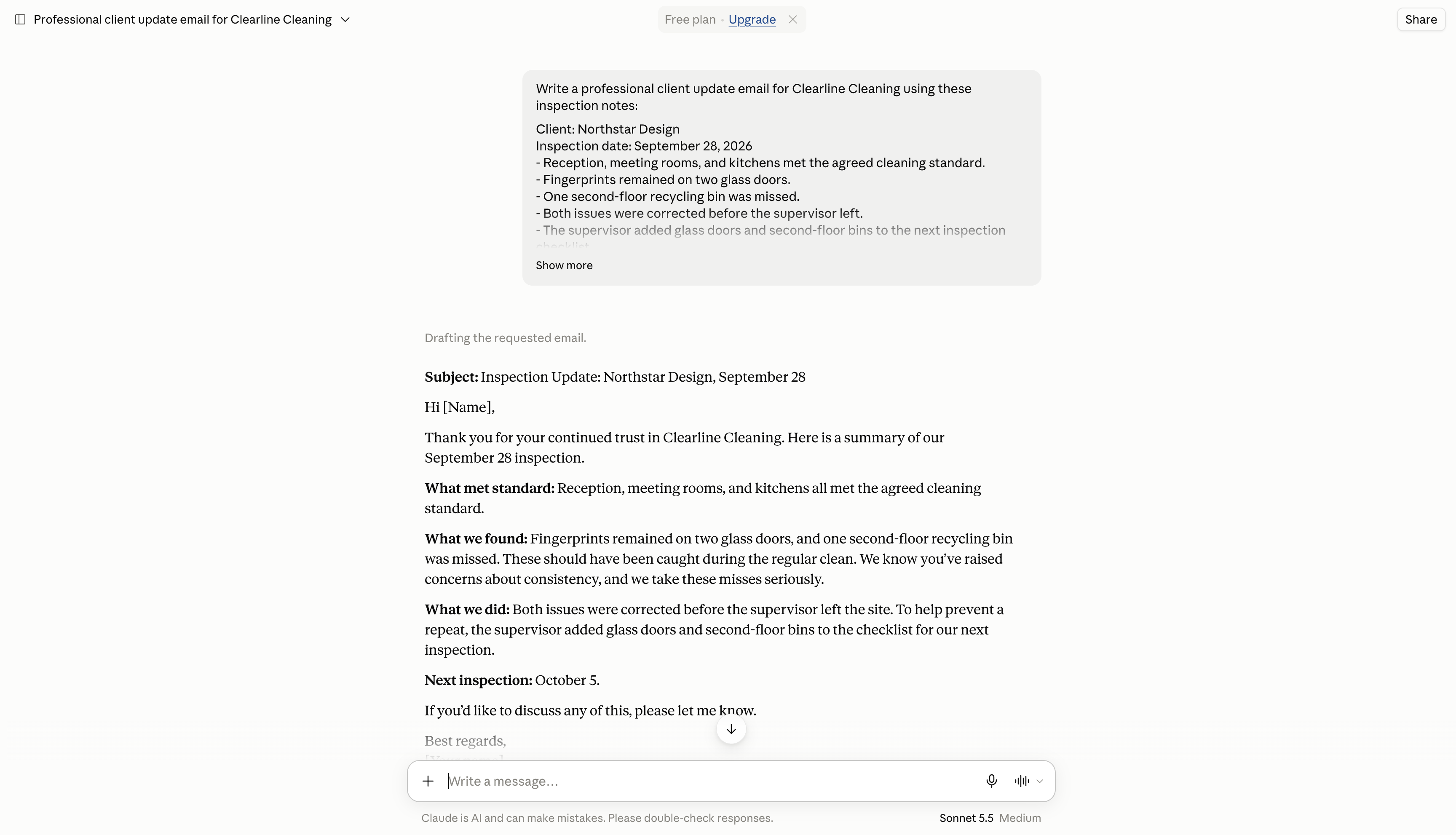
The example: The brief includes fingerprints on two glass doors, a missed recycling bin, completed corrections, and the next inspection date. The visible response carries those points into an email and acknowledges the client's earlier concerns about consistency.
What needs review: Replace the recipient placeholder and check whether the tone sounds like your company. Then ask for a shorter version and confirm that the missed items, corrective action, and next inspection remain intact.
Choose it when: Your bottleneck is developing and revising the writing. Claude also documents creation of downloadable Word, PDF, Excel, and PowerPoint files. If the deliverable needs to be a file, test that workflow separately from the email example and open the result in the application your recipient uses.
3. Gemini: Google Workspace tasks and exploring business data
Gemini deserves a place on the shortlist when your team uses Gmail, Docs, Sheets, and Drive. Google documents AI assistance across those apps, including email summaries, document drafting, and spreadsheet work. Check the features included in your account through Google Workspace's AI overview.
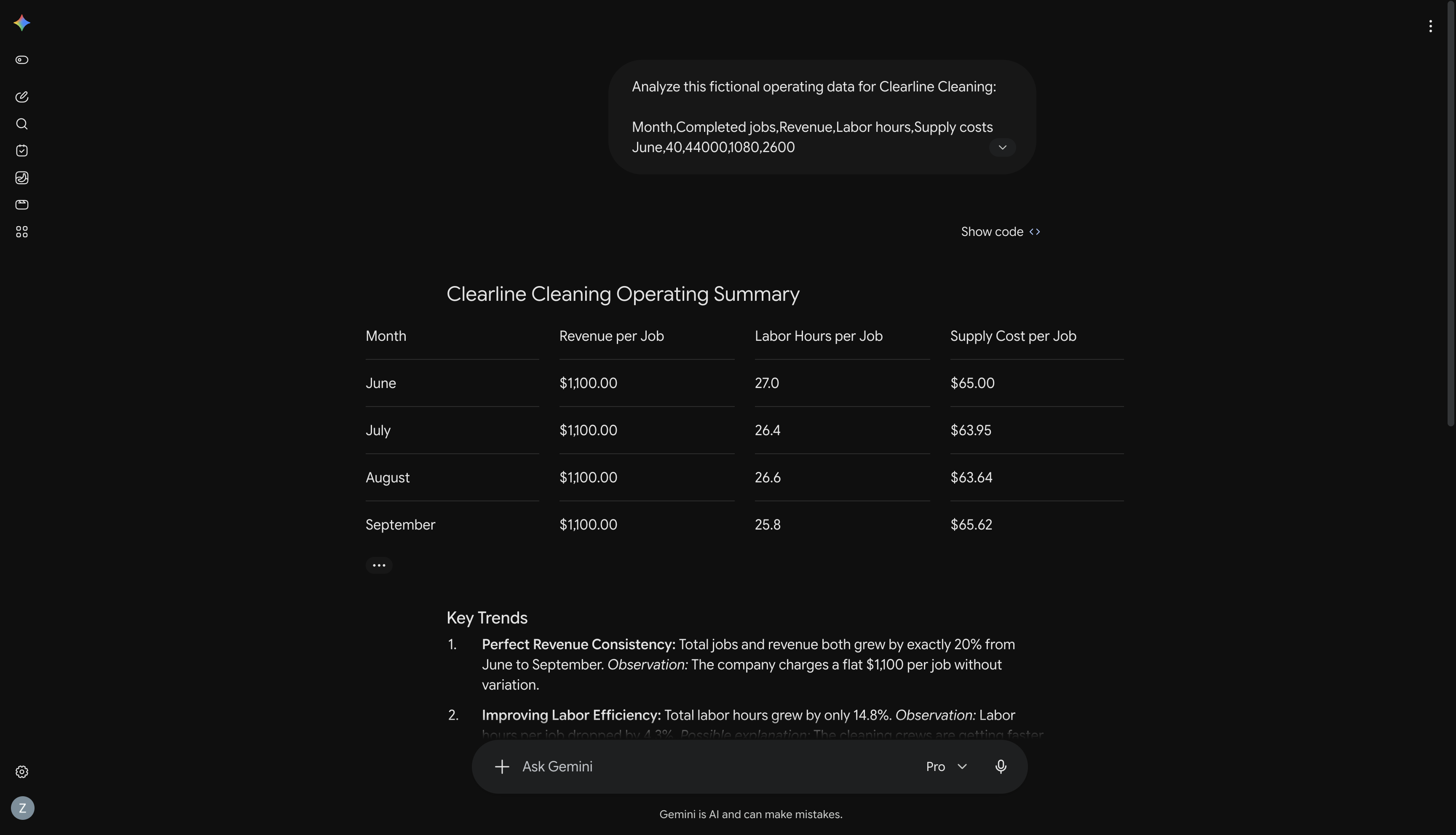
The example: The prompt supplies four months of fictional jobs, revenue, labor hours, and supply costs. Gemini's visible table shows revenue per job holding at $1,100 while labor hours per job vary by month.
What needs review: The response goes on to infer that the company charges a flat $1,100 per job. A consistent monthly average does not prove every job has the same price. That is a specific correction to make before sharing the analysis. Revenue and supply costs also do not establish profit without the other expenses.
Choose it when: You want to explore data or use AI close to existing Google Workspace content. This screenshot demonstrates the standalone app; it does not establish that a particular Workspace integration was used.
For a closer look at calculations and source checks, see our AI data analysis comparison.
4. Manus: tasks with multiple research and execution steps
Manus is designed around delegating a task and receiving a work product. Its official introduction describes an agent that can plan and execute work in a computing environment with internet access. A clear deliverable and acceptance criteria are particularly useful for this kind of workflow.
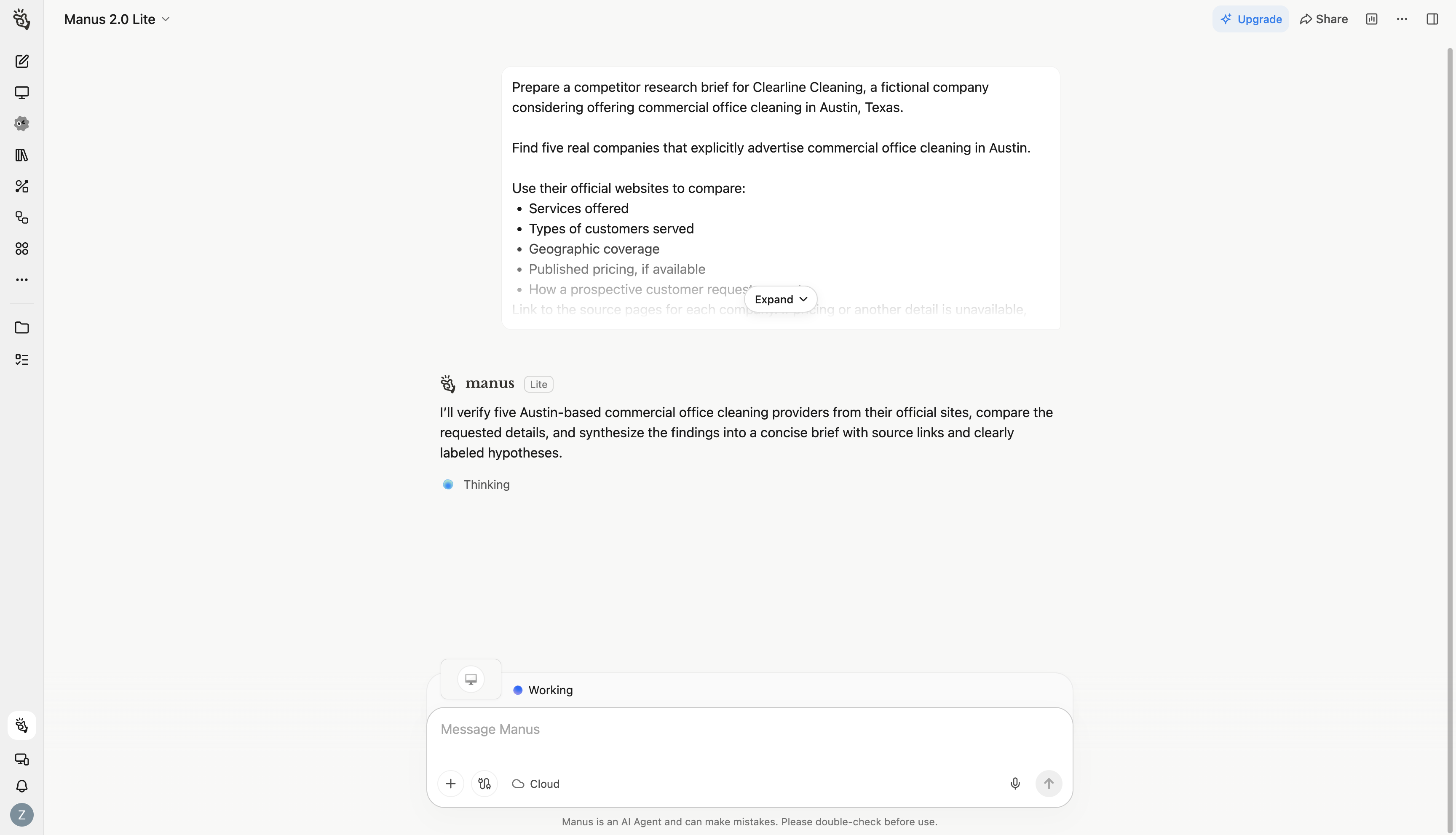
The example: Clearline wants to understand the Austin commercial cleaning market. The brief asks for five real providers, official source pages, services, coverage, published pricing, and the quote process. It also asks for missing information to remain visibly missing.
What needs review: Inspect the finished provider list and open its source links. Check whether each business actually serves the requested area, whether prices were published, and whether recommendations are clearly separated from facts. The screenshot establishes the task setup, not its completion or accuracy.
Choose it when: You can define a bounded assignment with several steps and review the result afterward. Check credit consumption and the amount of follow-up work needed before making it a recurring process.
5. ML Clever: visual business documents and presentations
ML Clever AI Documents combines a written brief with document structure, content, and visual editing. Consider it when the output needs to become a proposal, report, or executive update that someone can read and use. Its presentation workflow addresses slide-based deliverables.
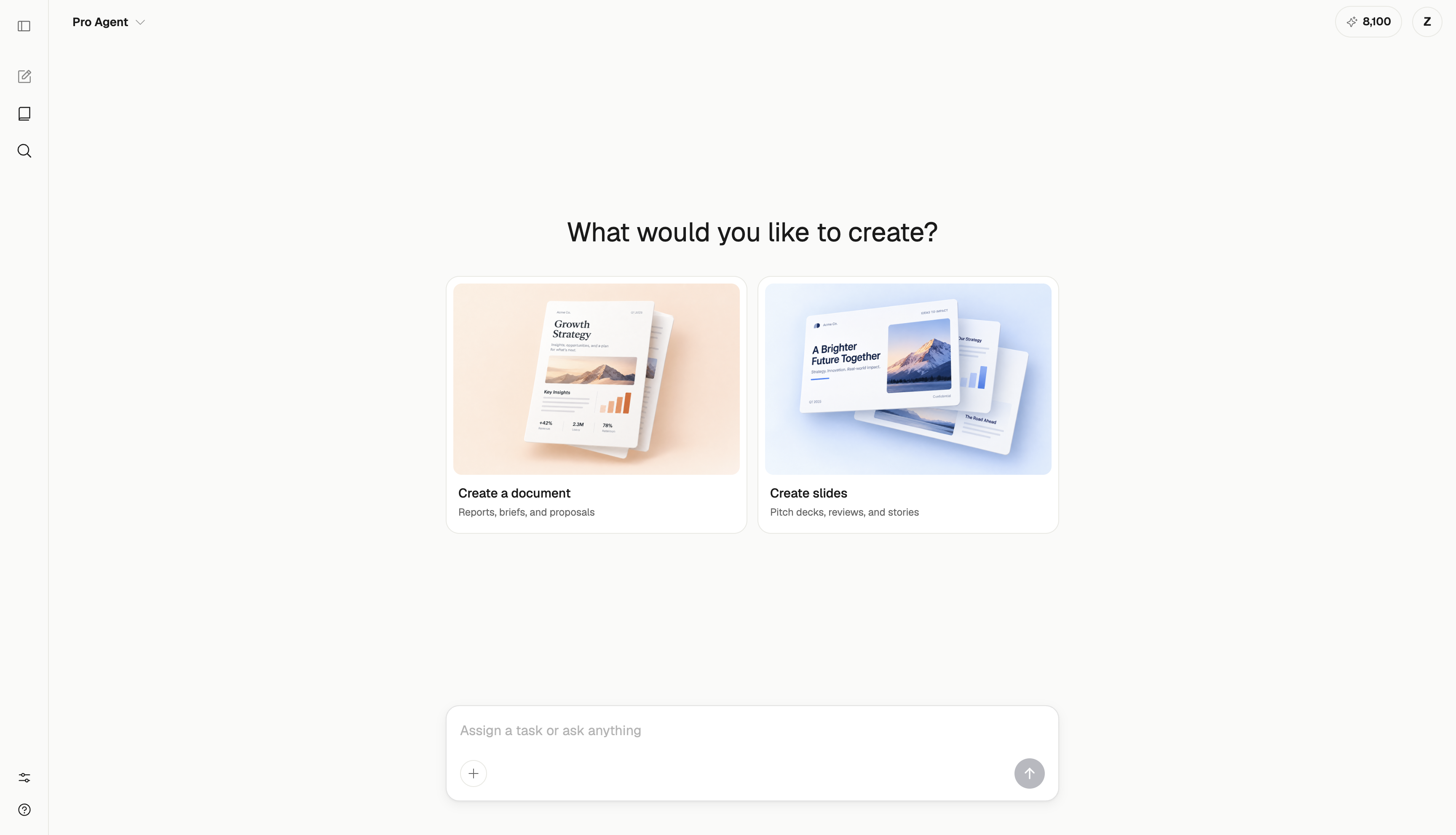
The example: Clearline needs a proposal for a 9,000-square-foot office. The prompt specifies three evening visits per week, a $2,400 monthly fee, and an optional $350 quarterly window-cleaning visit. It asks for one page with a scope section, pricing table, quality review, and next steps.
What needs review: Check that the finished proposal fits on one readable page and preserves the distinction between the monthly service and optional quarterly work. Confirm the required export format before promising a client an editable file. These are evaluation criteria; this capture does not show a completed export.
Access and cost: ML Clever's pricing lists a free Starter allowance of 2,000 one-time tokens, Creator at $20/month, and Studio at $100/month for up to five seats. Paid plans include PDF export. Choose according to the actual document volume and handoff requirements.
6. Perplexity: web research with sources to inspect
Perplexity is a candidate when the task begins with a question about information on the web. Its Search product combines answers with source citations, with deeper research options for larger questions.
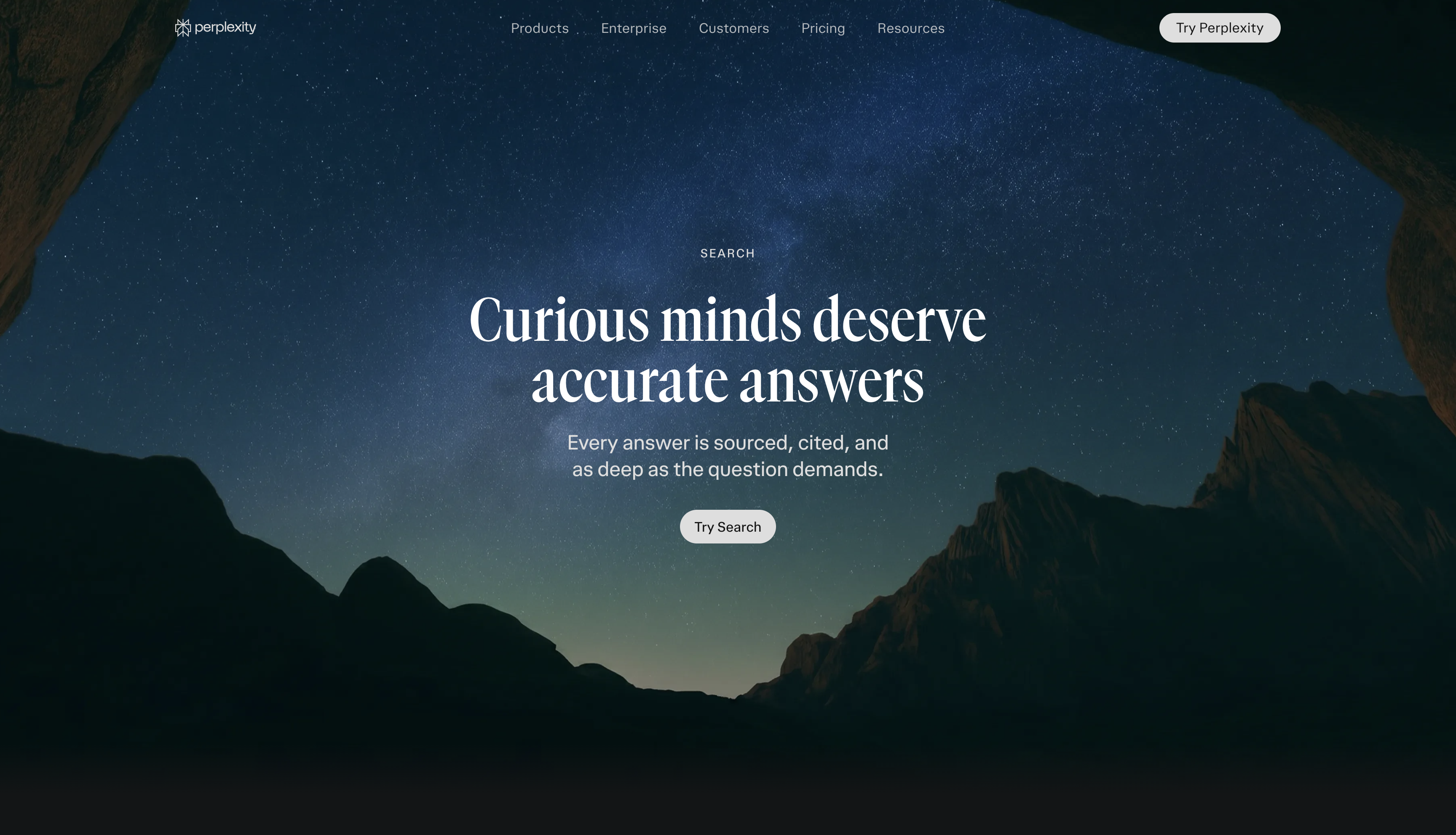
A task to try: Compare three scheduling tools that might suit a commercial cleaning company. Request official sources for recurring jobs, staff scheduling, client reminders, and current pricing. Ask it to distinguish a missing feature from a feature it could not verify.
What needs review: Open the sources for the features that would determine your purchase. A citation is useful because you can check it; it does not automatically mean the sentence is supported or that a price is current.
Choose it when: Finding and checking external information is the main job. Evaluate the quality of the sources and the time required to verify the answer. If you already use another assistant's research features, try the same question in both before buying an additional subscription.
7. Granola: usable meeting notes and follow-ups
Granola focuses on meeting information. Its getting-started guide describes calendar-linked notes, transcription, folders, and chat across meeting notes to recall details and prepare follow-up material.
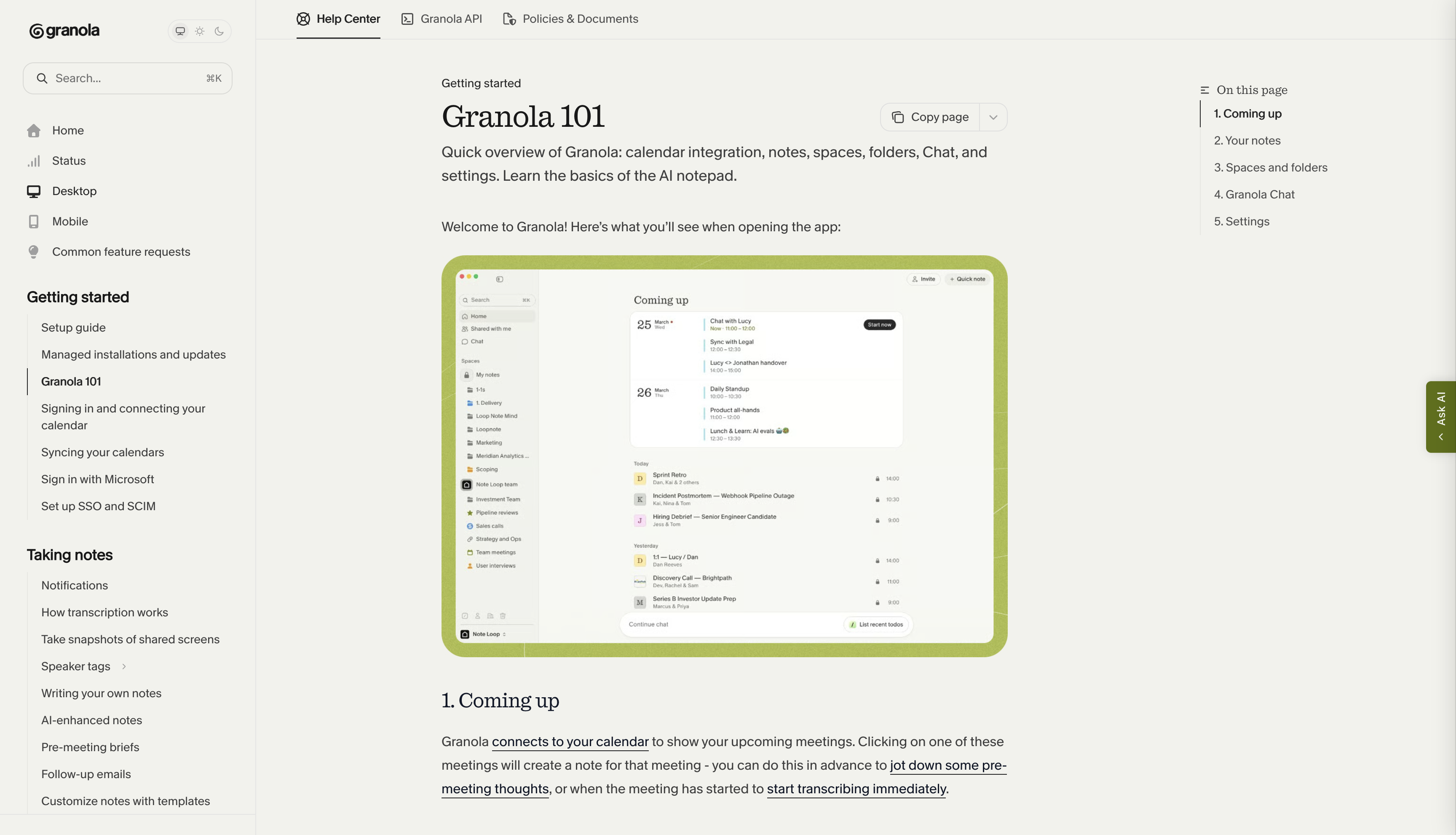
A task to try: Run a short mock client meeting about service quality. Include one confirmed decision, one unresolved request, an action owner, and a deadline. Review whether the resulting notes preserve all four.
What needs review: A suggestion made during a conversation should not silently become a commitment in the summary. Check names and dates, and use a capture setup that fits your team's meeting practices. Also check access to older notes and any sharing features you need.
Choose it when: Useful information is getting lost between meetings and the follow-up. The evaluation should include finding a decision a week later, rather than stopping at the first summary.
8. Zapier: recurring workflows across your apps
Zapier connects a trigger to actions in other apps. Its AI features include help building workflows and steps that use AI within a process. The official AI overview explains the distinction between AI used to create a workflow and AI that runs as part of it.
A task to try: Take a sample cleaning inquiry email, extract the address and requested service with AI, and add the details to a tracking spreadsheet. A draft acknowledgment could be a later step once extraction works reliably.
What needs review: Test missing addresses, duplicate inquiries, and emails that are not new leads. Decide what happens when a field is uncertain. Account connections, task allowances, and maintaining the workflow are part of the cost.
Choose it when: The same process happens repeatedly and its inputs and destination are clear. For an occasional research assignment, a delegated task may be simpler; for an ongoing intake process, a tested workflow can be easier to inspect and maintain.
9. Notion AI: internal knowledge and workspace answers
Notion AI is worth evaluating when the answer already exists somewhere in your company's documents. Notion's Enterprise Search supports questions across workspace content and connected sources, with citations and access based on source permissions.
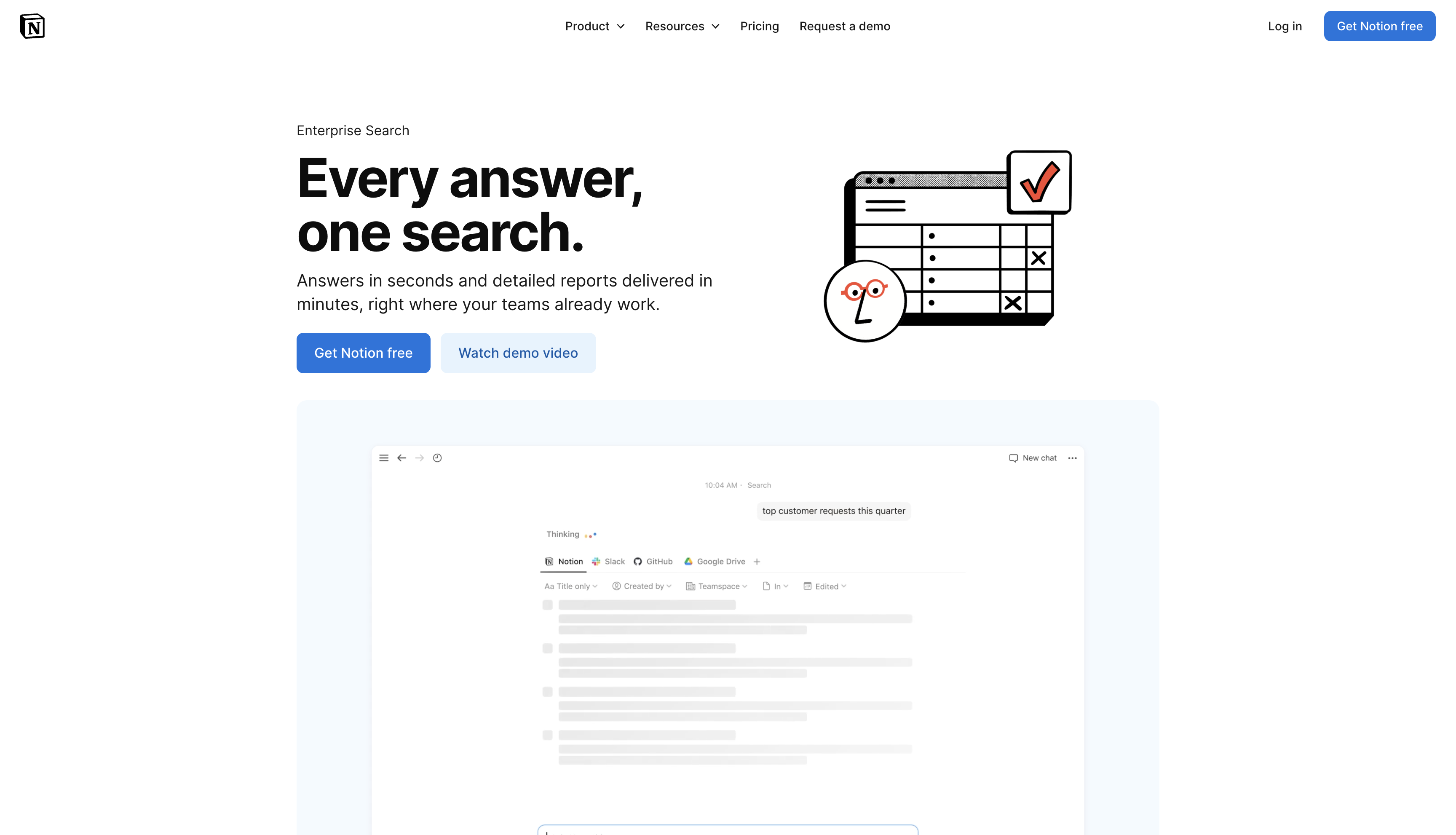
A task to try: Add approved procedures for opening a client site, inspecting completed work, and reporting an issue. Ask for a new employee's first-week checklist, with references to the relevant procedures.
What needs review: Confirm it uses the approved versions and preserves exceptions. Give each procedure an owner and review date. Connecting more documents will not resolve contradictory instructions by itself.
Choose it when: People repeatedly ask where to find an answer or how a process works. Check the AI plan and connector requirements for your workspace; creating a free Notion account does not establish access to every AI feature.
10. Canva AI: marketing visuals and content adaptation
Canva AI is a candidate when the result needs to be a visual asset. Canva's social-content guide describes creating a design from a brief, revising it, and adapting it for different placements.
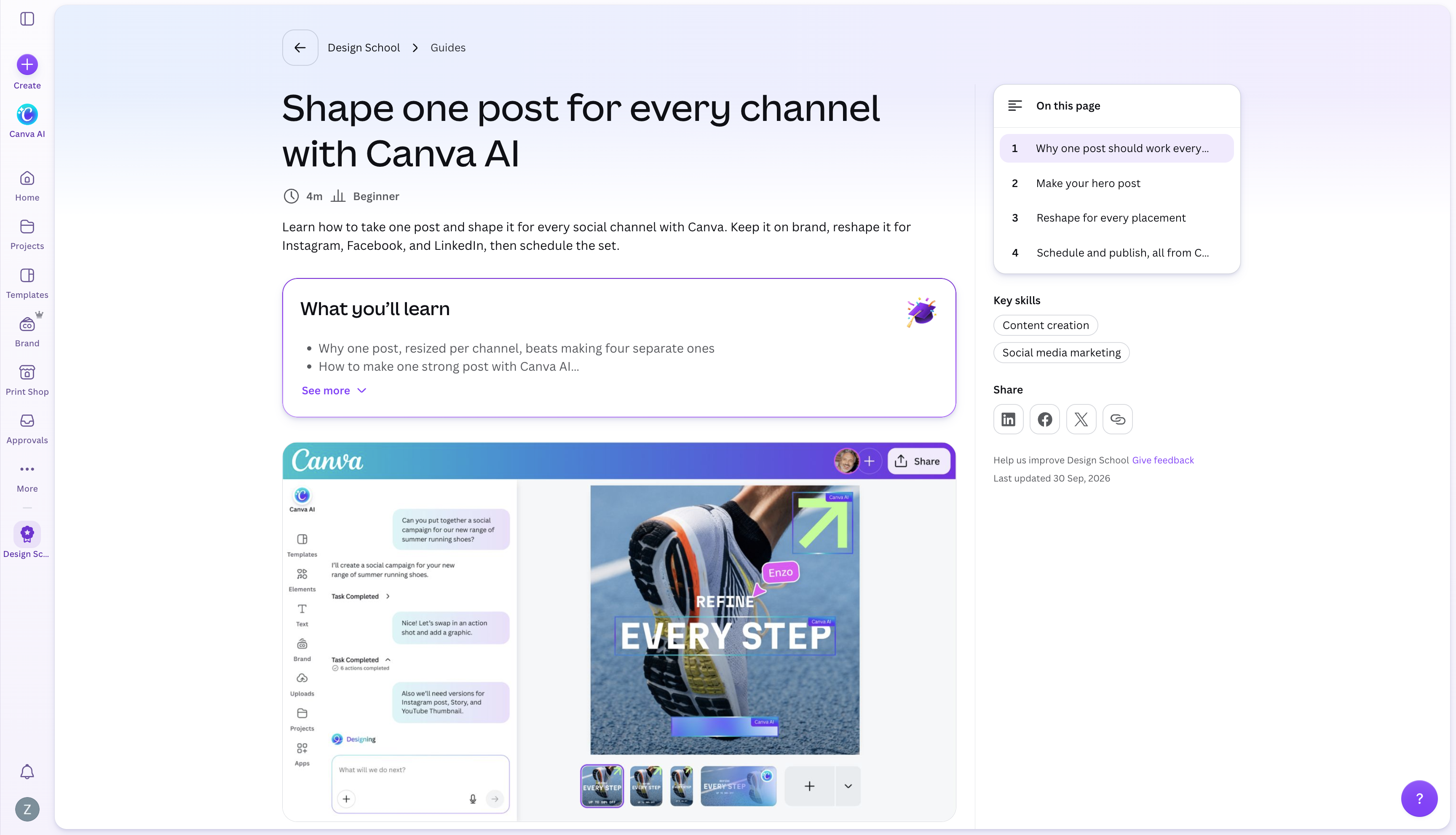
A task to try: Create a Clearline social post advertising office cleaning. Supply the actual offer, audience, colors, and call to action. Then adapt the approved design into a second format without changing its message.
What needs review: Look at text size, spacing, image relevance, and whether important content survives resizing. Check the AI allowance and the features available in your plan before committing to a recurring production workflow.
Choose it when: The bottleneck is producing and revising marketing graphics. For a proposal or report, compare the document editing and export experience as well as how attractive the first page looks.
How to choose the best AI for your work
Start with one task you already repeat
Write the task as an outcome: “turn inspection notes into a client-ready update,” “find the approved onboarding procedure,” or “log a new inquiry without retyping it.” A specific outcome makes it possible to judge whether a tool helped.
Swipe across the table to see all columns.
| Your main need | A useful first trial | What a successful result looks like |
|---|---|---|
| Think through a decision | Compare ChatGPT and Claude on the same brief | Clear options, explicit assumptions, and a usable next step |
| Work in Google's apps | Evaluate the Gemini features in your account | The result uses the right files and fits your existing review process |
| Research external information | Try Perplexity; consider Manus for a broader assignment | Sources support the findings and missing facts remain visible |
| Create a business deliverable | Try ML Clever; compare a file-generation workflow if needed | You can edit, finish, and deliver it in the required format |
| Retain meeting decisions | Try Granola on a mock meeting | Correct decisions, action owners, deadlines, and unresolved questions |
| Repeat a process across apps | Build a small Zapier workflow | Correct handling of ordinary inputs, exceptions, and duplicate records |
| Answer internal questions | Try Notion AI with approved procedures | The answer cites the current procedure the reader may access |
| Create marketing visuals | Try Canva AI on a real design brief | A readable, accurate asset that still works in the final size |
Check the software and information you already have
The place where your team works matters. A useful draft can still create extra effort if someone has to move it between three apps, repair its formatting, and copy back every revision. Check whether existing software already includes the feature you need before paying for another tool.
Also identify who will supply and maintain the information. For Clearline, a current inspection checklist and an approved pricing sheet are more useful than an elaborate prompt built around uncertain facts.
Compare the cost of finishing the work
Look beyond the subscription price. Check the allowance for research, file creation, meeting history, AI credits, automation tasks, exports, and team seats as relevant to your task. Include setup and review time in your comparison.
A free allowance can help you explore a workflow, but test the actual feature you need. Paid access is useful when it removes a demonstrated limit; it does not automatically make the output suitable for your business.
Run a small, repeatable trial
Choose two plausible tools and give them the same representative task. Record the plan and model where shown, the date, the prompt, the output, and your corrections. Include one follow-up revision and inspect the final deliverable.
Track three things: time to an acceptable result, material errors to correct, and whether the output can be used where the work needs to happen. If you want to compare writing quality, use the same writing brief. If you want to compare a whole workflow, include the same research, review, and delivery requirements.
Go deeper on the deliverable you need
This shortlist helps you choose a type of tool. These guides compare options for a more specific output:
- Best AI report generators: research, evidence, analysis, and findings.
- Best AI document generators: proposals, memos, briefs, and operating procedures.
- Best AI presentation generators: slide creation, editing, and handoff.
- AI dashboard generators: dashboard workflows and visual reporting.
- Prompt-to-deliverable workflow: moving from a brief to a finished business asset.
If the harder question is which process to improve first, our AI consulting service helps you assess opportunities. The AI strategy roadmap focuses on turning priorities into an implementation plan.
Frequently asked questions about AI for work
Which AI should I use if I am just getting started?
Pick one task you understand well. For a written brief, email, or planning exercise, compare ChatGPT and Claude using the same facts. If the task lives inside Google Workspace, evaluate the Gemini features already available to you. Choose based on how much work remains after the first response.
What is the best AI assistant for a small business?
The useful starting point depends on the bottleneck. A general assistant can help with writing and planning; Granola addresses meeting notes, Zapier addresses recurring workflows, and Notion AI addresses internal knowledge. A small business usually benefits from solving one clearly defined problem before adopting several tools at once.
Should I pay for several AI tools?
Only when they solve distinct problems you encounter often enough to justify the cost. Try an existing assistant on the task first, then add a specialist if it meaningfully improves the result or reduces the work required to finish it. Compare the total cost across your team, including usage and setup.
What AI should I use instead of ChatGPT?
Start with the reason you want an alternative. Compare Claude for a writing workflow, Gemini for work in Google's apps, or Perplexity for a research workflow. Consider a specialist such as Granola or Canva AI if the task is meeting notes or visual content. These are candidates to test, rather than universal replacements.
Are all the tools in this guide directly comparable?
No. An assistant, a meeting notepad, an automation platform, and a visual editor solve different parts of work. Some capabilities overlap, but a fair comparison requires the same task and acceptance criteria. The screenshots in this guide illustrate different workflows and stages, not a shared benchmark.
How do I know whether an AI tool is saving time?
Measure the time from starting the task to a result you can actually use. Include preparing inputs, checking sources, correcting mistakes, formatting, and sharing or exporting. Compare that total with your usual process across several representative examples.

ML Clever Research Team
AI Tools Analysts
Get new ideas in your inbox.
Practical AI workflows and product notes from ML Clever.