Published · Updated in AI Tools & Reviews
11 Best AI Report Generators in 2026: Features, Sources & Exports

The best AI report generator depends on where your evidence lives and how the finished report needs to be delivered. ML Clever is an option for visual business reports built from files and research. Microsoft Copilot and Gemini in Google Docs fit teams working in those document editors. ChatGPT supports research and synthesis, while Claude can turn a conversation and source files into downloadable documents.
For a report that people can act on, compare more than writing quality. You need accurate calculations, traceable sources, an editable structure, and an output your audience can use. This guide compares 11 options across those requirements and includes a small reporting exercise you can reuse with your own shortlist.
Editorial disclosure: ML Clever publishes this guide and is one of the products included. Recommendations reflect our assessment of documented capabilities, not a scored hands-on benchmark. Product information was reviewed on September 29, 2026; official sources are linked beside the relevant entries. Availability and limits can vary by plan and workspace settings.
AI report generators at a glance
| Tool | Best fit in this comparison | Working format | Main consideration |
|---|---|---|---|
| ML Clever | Visual business reports with research and recommendations | Editable visual document; PDF export on paid plans | Token allowance and research/export access |
| Microsoft Copilot | Reports maintained in Word | Word document | Eligible Copilot access and source permissions |
| Gemini in Google Docs | Reports developed with a Google Workspace team | Google Doc | Eligible plan and selected source files |
| Notion AI | Internal updates using workspace knowledge | Notion page | AI usage allowance and workspace organization |
| Superhuman Docs / Coda AI | Operational reports built around tables | Collaborative doc with tables | Maker access and the underlying data structure |
| Confluence with Rovo | Project and team knowledge reports | Confluence content | Workspace access and source quality |
| WRITER | Repeatable reporting using company knowledge | Agent-generated deliverables | Knowledge setup and organization requirements |
| Piktochart | Visual summaries of an existing report | Visual report design | Check current download and AI-credit limits |
| Visme | Designed reports with interactive sharing | Online report or PDF | Credits, download access, and sharing requirements |
| ChatGPT | Research questions and evidence synthesis | Research response and follow-up drafts | Research availability and source verification |
| Claude | Reports delivered as Word or PDF files | Downloadable DOCX and PDF | File-generation settings and output review |
The entries cover different parts of the reporting workflow. A research assistant, a shared document editor, and a visual report builder can all be useful without being interchangeable.
In this guide
- What to look for in a report generator
- How this comparison was prepared
- The 11 tools and their tradeoffs
- A worked business report example
- Choose by reporting task
- Templates and next steps
- Frequently asked questions
What makes a useful AI report generator?
A useful report connects a question to evidence, findings, and a decision. Check these five things before adopting a tool:
- Source handling. Can it use your files or workspace content? For web research, can you open the sources behind important claims? A citation is a starting point for verification, not proof by itself.
- Numerical accuracy. Ask for the calculation behind a percentage, the period being compared, and the source of each input. Reconcile the result with your spreadsheet or system of record.
- Structure and revision. You should be able to change the audience, update a table, or revise a recommendation without rebuilding the whole report.
- Delivery format. An editable document, a PDF, and an interactive online report serve different needs. Test the actual handoff format before choosing a subscription.
- Repeatability. A monthly report needs a stable input checklist, consistent metric definitions, and an owner who reviews the result. A saved prompt alone does not establish an automated reporting process.
For proposals, SOPs, and general business writing, see the separate AI document generator comparison. For a detailed writing process, start with how to write reports with AI.
How this comparison was prepared
We reviewed official product pages and help documentation for source handling, report creation, editing, delivery, and access requirements. The use-case recommendations are editorial judgments based on those features. We have not published a controlled performance benchmark for this update, so there are no numerical quality scores or claims that one product is universally more accurate.
The sample later in this guide is an illustrative exercise, not output from a vendor test. Use it to compare two or three shortlisted tools with the same inputs, then inspect the calculations, citations, and finished file yourself.
The 11 AI report generators compared
1. ML Clever: visual business reports from files and research
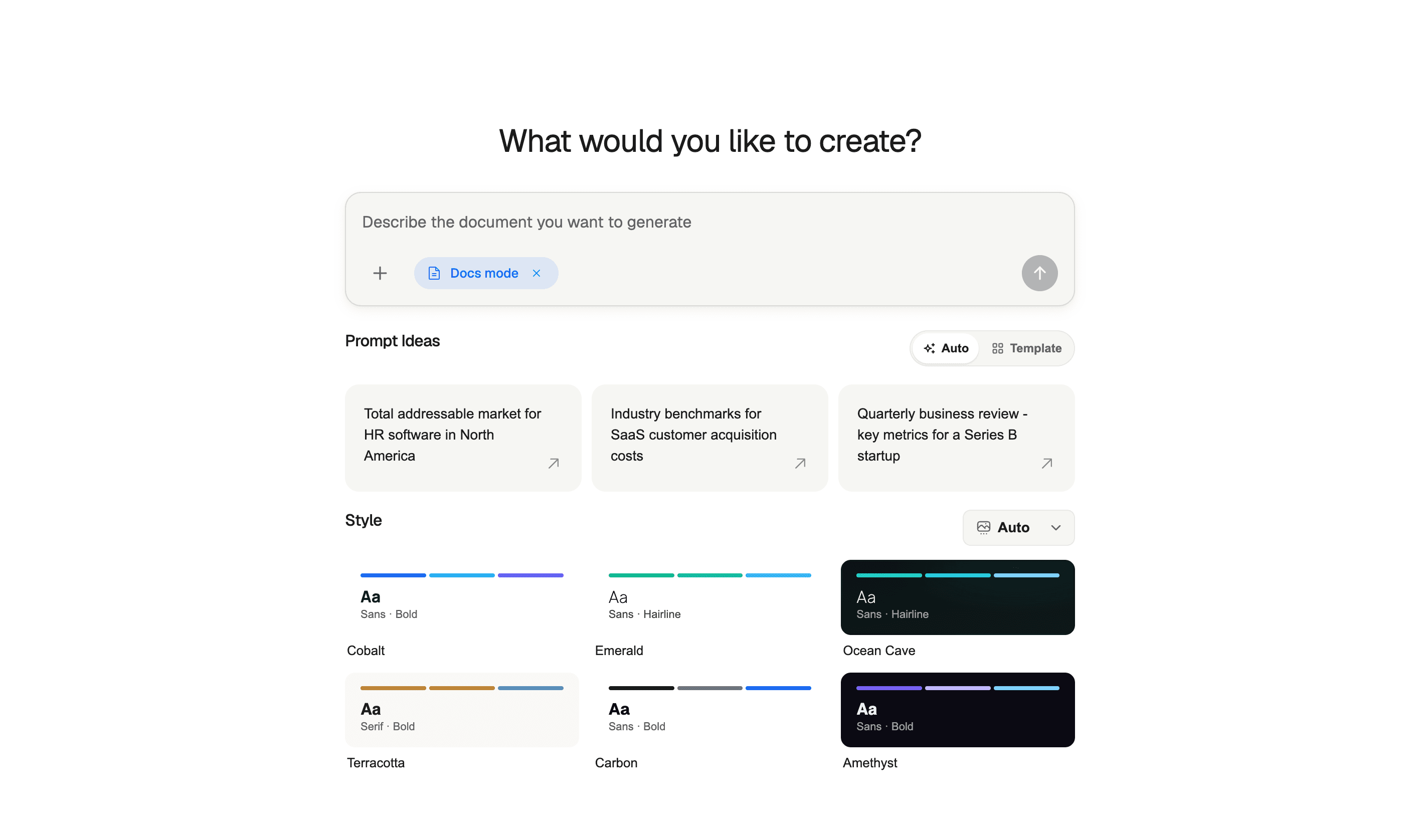
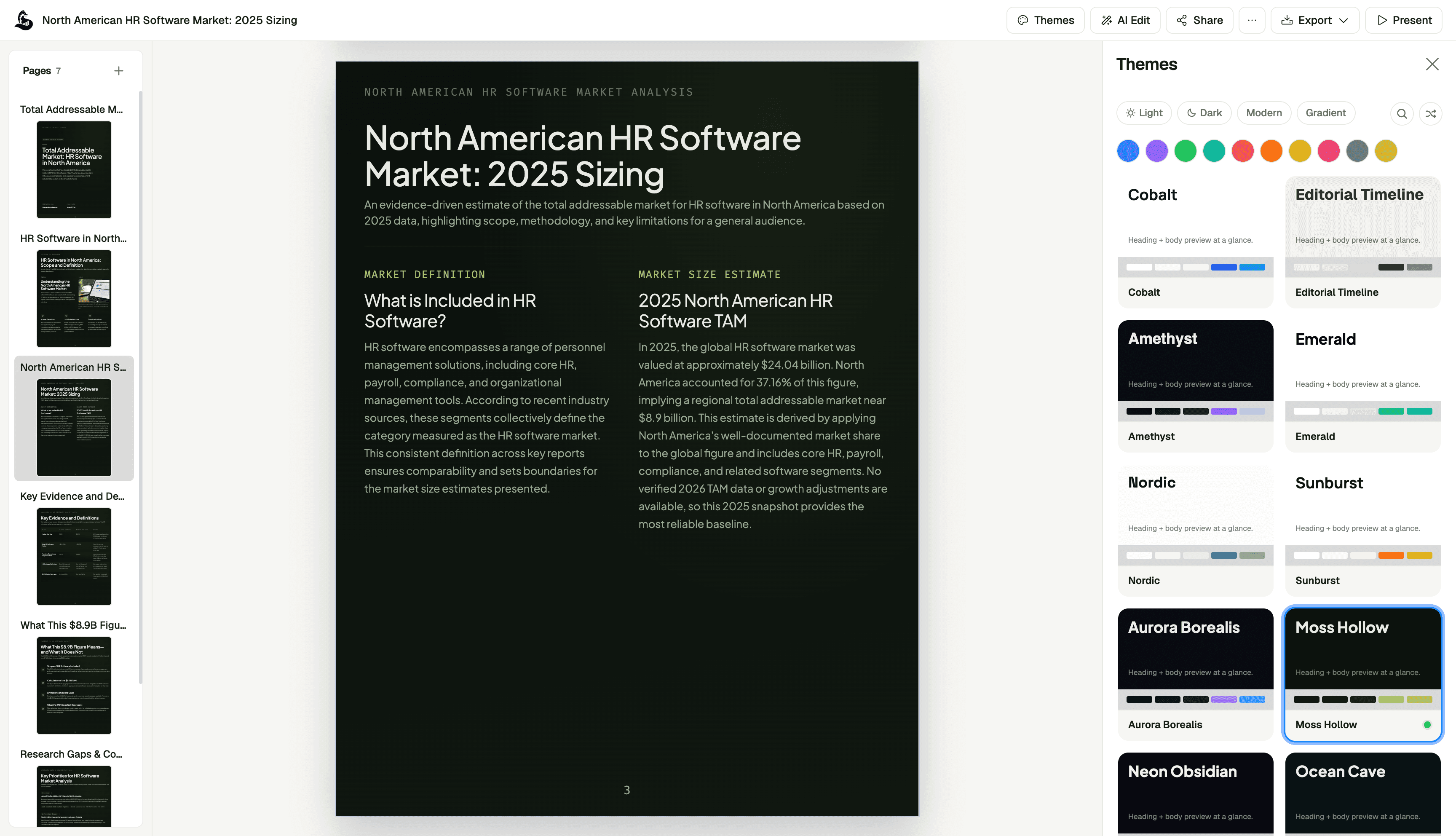
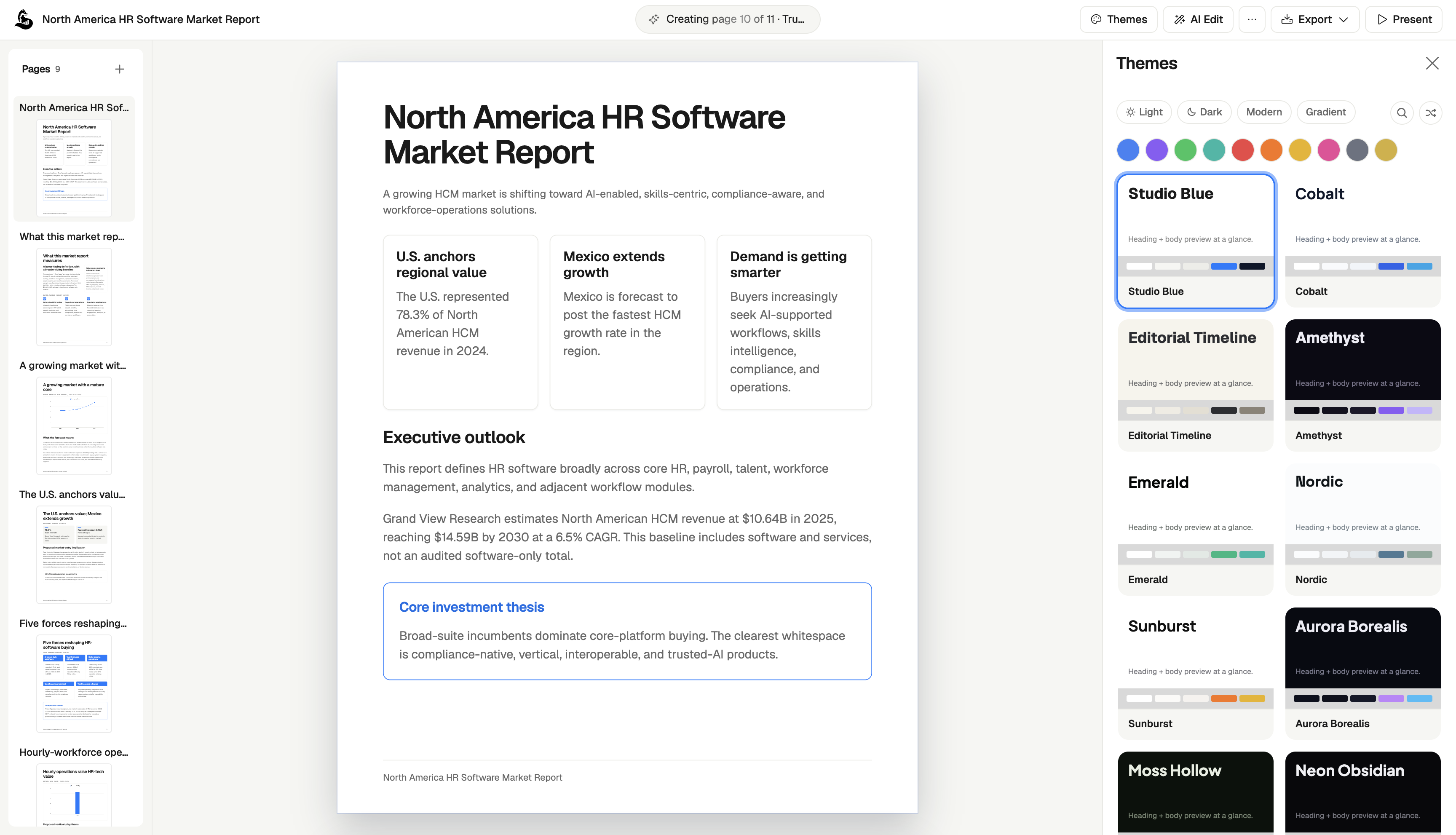
ML Clever AI Documents combines source material, research, writing, and visual editing in one workspace. You can start with a prompt and files, develop a report with findings and recommendations, then refine the content and theme before sharing it.
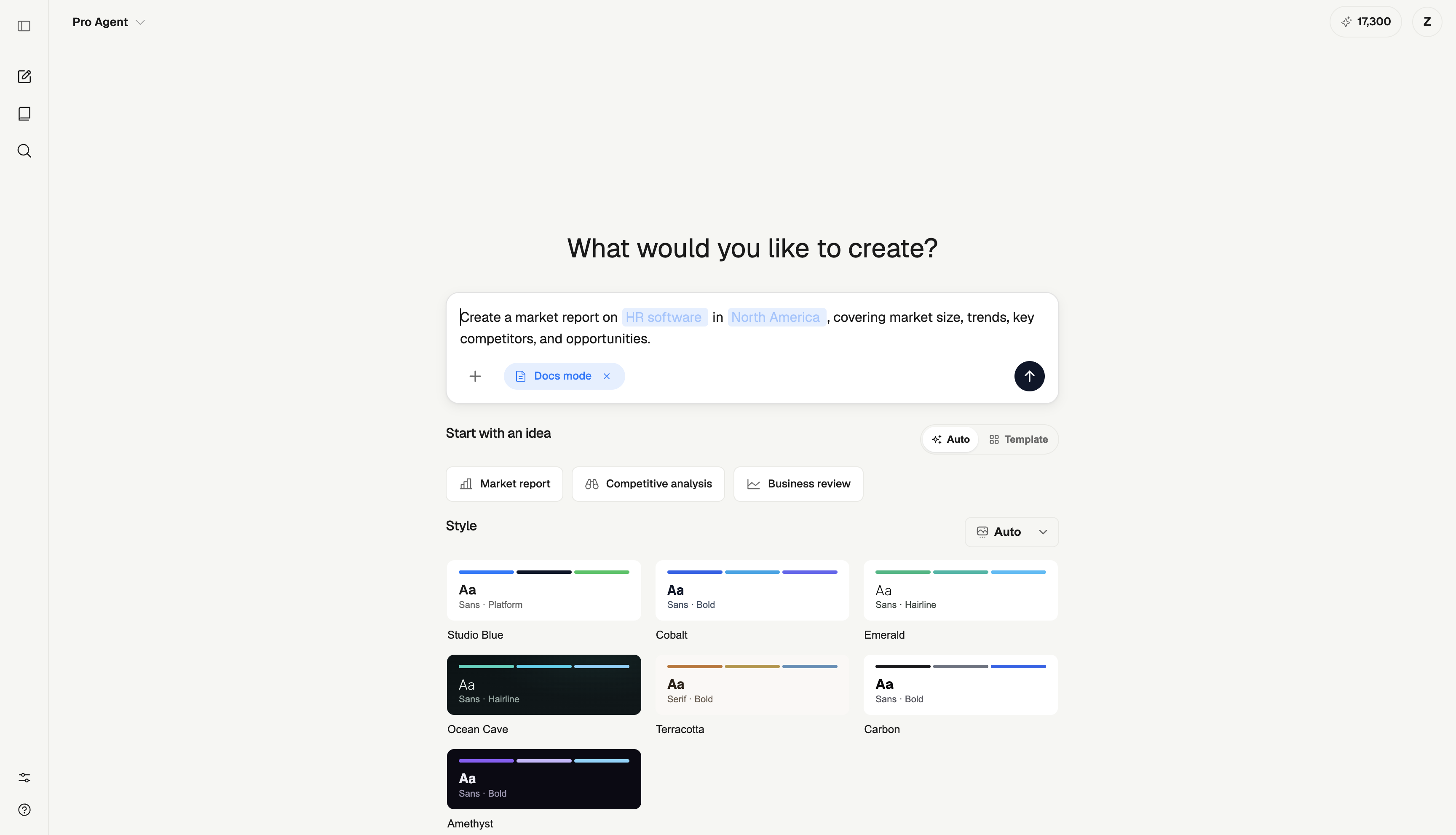
This makes it worth considering for market research, executive updates, client readouts, and quarterly business reviews. Source notes and citations help keep the evidence close to the discussion, but the report owner still needs to verify the facts and recommendations.
Plan considerations: Starter includes 2,000 one-time tokens. Creator is $20/month with 20,000 monthly tokens and PDF exports; Studio is $100/month with a shared 120,000-token pool for up to five seats. Creator lists live research access. Check current ML Clever pricing for the plan you need. The free allowance is not a daily generation entitlement.
Check before choosing: If your team requires a native Word file for tracked changes, test that requirement separately. ML Clever's document workflow emphasizes visual editing and PDF delivery.
2. Microsoft Copilot: reports that need to stay in Word
Copilot in Word can build from an existing document or template and reference source files while maintaining the document's structure. That is a practical fit for a recurring report with an established company format. Microsoft's documentation.
Choose it when reviewers already work in Word and the editable document is the deliverable. Give it the approved template, the current reporting period, and the precise files it should use.
Check before choosing: Verify Copilot access in your Microsoft 365 account. Inspect the draft for old figures retained from the template and make sure every referenced file is the intended version.
3. Gemini in Google Docs: reports developed in Google Workspace
Gemini in Docs can help create and refine documents, summarize Drive files and Gmail content, and reference other files. It requires an eligible Google Workspace or Google AI plan. Google's documentation.
It is a natural shortlist option when your team already drafts reports in Google Docs. Keep the source set focused: the current metric sheet, the agreed narrative, and the relevant background documents.
Check before choosing: Verify feature eligibility and which sources informed the answer. Open the supporting files and make sure the relevant figures, dates, and conclusions agree with the draft.
4. Notion AI: internal reports built from workspace knowledge
Notion AI can draft, edit, and summarize content using page and workspace context, connected apps, and the web. Consider it for a team update that draws on working notes and project documents already in Notion. Notion's writing guide.
The useful question is whether the report needs to remain a living internal page. If it does, keeping the underlying context nearby can simplify the next update.
Plan considerations: Free and Plus offer limited AI trial usage; ongoing access and allowances depend on the plan. Review Notion's plan guidance. For a client deliverable, inspect the final shared or exported version as well as the working page.
5. Superhuman Docs / Coda AI: reports built around operational tables
Coda's site now identifies the product as Superhuman Docs. Its AI documentation describes drafting, summarizing, generating tables, and using AI columns to process information. This makes it a candidate for recurring operational reports whose context already lives in structured tables. Coda's product information.
A useful trial is a project-status report based on rows containing owner, deadline, status, and blocker. Check whether the resulting summary highlights the right exceptions and identifies stale records.
Plan considerations: The page lists Coda AI as included for Doc Makers. Confirm current maker access and usage terms during the product transition. Allow time to organize the underlying data before evaluating the narrative.
6. Confluence with Rovo: reports connected to team knowledge
Atlassian presents Confluence's current AI features under Rovo. These include content creation, writing improvements, and finding context across connected work. Consider it for project reviews or operational updates that need to live beside the team's existing documentation. Confluence AI features.
Check before choosing: Confirm Rovo availability in your workspace and review the pages used as evidence. A polished summary of outdated project notes can still produce the wrong conclusion. For reports sent outside the organization, test recipient access and the delivery format early.
7. WRITER: repeatable reports using company knowledge
WRITER's current platform supports agents that produce deliverables using company knowledge and standards. Its Knowledge Graph can connect internal sources, and WRITER Agent can attach citations to supporting material. Platform overview and agent documentation.
It belongs on the shortlist when reporting is part of a broader, repeatable company workflow. For example, a team may need the same source collection and review process across many account reports.
Check before choosing: Include configuration effort in the evaluation. Decide who maintains the knowledge sources and reviews the output. Confirm the required plan, connectors, and deliverable format with the vendor.
8. Piktochart: visual summaries of an existing report
Piktochart offers an AI report workflow with topic and text/file input options. It is a candidate when your main task is communicating existing findings visually. Piktochart's report workflow.
Use a verified short report as the input, then judge whether the design makes the important comparison and recommendation easier to understand. That exercise is more useful than asking it to invent the business case from a vague topic.
Check before choosing: Inspect chart labels, units, and any shortened caveats. Verify the current AI-credit allowance and download options before treating a free draft as a complete delivery workflow.
9. Visme: designed reports and interactive sharing
Visme's AI report generator produces a draft from a prompt and selected visual style. The report can be customized, shared online, or downloaded in formats including PDF. Its online presentation options include a flipbook view. Visme's report generator.
Consider it for a designed annual update, client report, or other document where visual presentation is a substantial part of the work.
Plan considerations: AI usage draws from credits shared across Visme's AI features, with higher allowances on paid plans. Confirm download and sharing permissions. If the audience needs a static PDF, check that it still communicates any information shown interactively online.
10. ChatGPT: research questions and evidence synthesis
ChatGPT can use web search with citations and, where available, deep research to investigate multiple sources and prepare a report. Include the research question, scope, files, and expected result, then review the sources and ask follow-up questions. OpenAI's research documentation.
This is useful when the hard part is deciding what the evidence means: comparing market approaches, summarizing findings, or separating agreements from contradictions.
Check before choosing: Research availability depends on the account and workspace. Do not equate a cited answer with a finished business deliverable: inspect the evidence, then check the required document format, layout, and review process.
11. Claude: reports delivered as downloadable Word and PDF files
Claude supports creating Word documents, PDFs, spreadsheets, and presentations from a conversation. It can also analyze uploaded data and produce reports with charts. File creation is documented across free and paid plans, with organization settings affecting access. Claude's file documentation.
Consider it when your workflow starts with files and ends with an editable document handed to another person.
Check before choosing: Download and open the actual result. Check calculations, chart sources, table widths, and page breaks. File creation does not remove the need to review the analysis or the exported layout.
A worked example: monthly performance reporting
The following numbers and source names are fictional sample data, not a customer result or a test of the tools above. They show what to check when comparing report generators.
| Metric | Actual | Target | Source supplied in the exercise |
|---|---|---|---|
| Monthly revenue | $120,000 | $100,000 | Finance worksheet, revenue row |
| New customers | 48 | 60 | CRM export, monthly total |
| Support backlog | 90 | 60 | Support export, month-end snapshot |
Use this prompt with the table:
Create a monthly business performance report for the leadership team.
Use only the supplied table and source notes.

Include an executive summary, KPI table, variance calculations,
findings, open questions, and proposed next steps.
Calculate variance as (actual - target) / target.
Explain whether an increase is favorable for each metric.
Separate observed facts from possible explanations.
Do not invent causes, customer details, owners, or supporting sources.
Mark anything missing as "needs confirmation."
An acceptable interpretation would establish that revenue is 20% above target, new customers are 20% below target, and the backlog is 50% above target. It would not describe all three increases/decreases using the same favorable/unfavorable label.
A concise sample finding is: “Revenue exceeded target while new-customer acquisition fell short. The supplied data does not establish whether expansion revenue, pricing, or customer mix explains the difference.” A useful next step is to request the missing revenue breakdown, with an owner still to be assigned.
Reject a draft that invents a cause such as a successful campaign, silently substitutes the current month for a different period, or cites a source that was never supplied. Check that the PDF or document preserves the source notes next to the relevant figures.
For larger source packs, follow the PDF-to-report workflow. For external research, use the report citation review process.
Choose by the report you actually need
- Monthly KPI report: Start with a tool that can use your existing metric definitions and source files. Try the sample above before adding visual complexity.
- Market research report: Prioritize scope, source dates, and traceable claims. ML Clever's market research playbook provides a starting workflow; ChatGPT's research features are another option to evaluate.
- Client or board report: Decide first whether reviewers need a Word document, a PDF, or an online view. Compare the delivered file as carefully as the draft.
- Internal project update: Consider Notion, Confluence, or Superhuman Docs when that is already where the working context lives.
- Recurring company-wide reporting: Evaluate repeatability, source ownership, access controls, and the effort needed to maintain the workflow.
Use reports throughout the business
The same reporting discipline applies to a customer-feedback summary, an operations review, a competitive brief, or a recommendation to leadership: define the question, gather evidence, explain the implications, and identify the next decision. Change the structure to suit the reader rather than reusing an executive-report outline for every task.
Templates and next steps
Choose a starting point that matches your deliverable:
- Document templates for editable examples and generation prompts.
- Quarterly growth proposal document for a concise executive update.
- Quarterly business review presentation when the findings also need a meeting deck.
- Company analysis playbook for a structured company research workflow.
AI report generator FAQ
What is an AI report generator?
An AI report generator turns a question, source material, or data into a structured report. Depending on the product, it may help with research, writing, tables, visual layout, or file creation. Check which of those steps are actually included.
Which AI report generator is best for business reports?
For a visual report that combines research and recommendations, consider ML Clever. For a report maintained in an existing editor, consider Copilot in Word or Gemini in Docs. For research synthesis or downloadable files, evaluate ChatGPT and Claude against your inputs and delivery requirements. The best fit depends on the work and review process.
Can I generate a report from a PDF?
Tools with source-file support can help summarize or restructure a PDF into a report. Verify that the relevant tables, footnotes, and scanned pages were read correctly. Start with the PDF report guide and test a representative file before processing a large collection.
Are there free AI report generators?
Some products provide a free starting allowance or limited AI access. For example, ML Clever's Starter plan includes 2,000 one-time tokens, and Claude documents file creation on its free plan. Free access does not imply unlimited generation, research, or every export format; check those requirements separately.
Can AI reports include accurate citations?
Yes, tools with source handling can include citations, but you should open each important source and verify that it supports the associated claim. For internal metrics, a specific worksheet, row, or reporting-period reference can be more useful than a generic web link.
Do AI reports replace an analyst's review?
No. Someone still needs to confirm the inputs, inspect calculations, challenge explanations, and approve recommendations. A useful generator makes that review easier by keeping the evidence and reasoning visible.
Choose a workflow, then check the result
Shortlist two or three tools that fit your source material and delivery format. Give them the same brief, verify the calculations and evidence, and review the final document. For a visual report in ML Clever, start with your own files or a document template, then refine the findings before sharing.

ML Clever Research Team
AI Tools Analysts
Get new ideas in your inbox.
Practical AI workflows and product notes from ML Clever.