Published in AI Tools & Reviews
Best AI for Data Analysis 2026
Product availability update — September 25, 2026: New website and dashboard creation in ML Clever is currently unavailable. Earlier descriptions of those workflows in this article are historical. Existing projects remain accessible. For new work, explore documents, presentations, and chat.
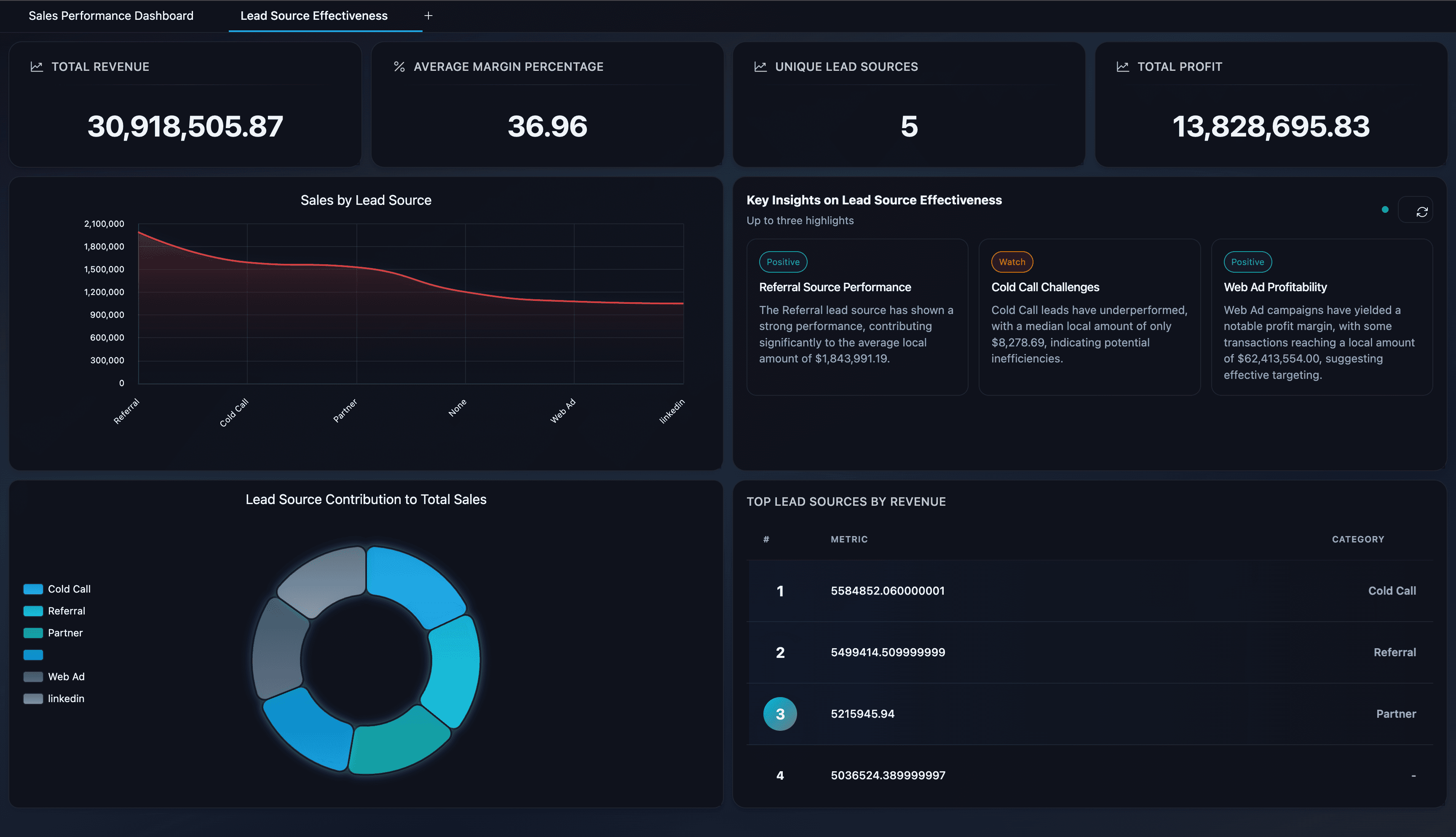
In 2026, the best AI for data analysis does more than answer questions. It turns plain-English prompts into charts, explains reasoning, and helps teams explore CSVs, Excel files, and business datasets in minutes. This is an analysis-first list focused on text-to-SQL, explainability, and fast insight loops (not a dashboard-generator roundup).
If you are evaluating finished dashboard builders, see our separate guide on AI dashboard generators. This list is for analysis workflows: asking why, checking logic, and turning raw data into a trusted answer.
Top AI Data Analysis Tools of 2026
- ML Clever - Editor's Choice
- Microsoft Power BI Copilot
- Tableau Pulse
- Looker + Gemini
- ThoughtSpot
- Sigma (Ask Sigma)
- Qlik Sense (Insight Advisor)
What Makes an AI Data Analysis Tool Great?
The best platforms share a few core strengths:
- Natural language to charts. Ask in plain English and get a clear visualization back.
- Text-to-SQL transparency. AI should show or explain the logic behind results.
- Explainable reasoning. Steps, filters, and assumptions are visible.
- Business-ready context. Summaries, takeaways, and "so what" built in.
- Fast iteration. Follow-ups, filters, and new breakdowns should be instant.
Our Analysis-First Testing Framework
We compared leading AI analysis tools across the same set of real-world tasks:
- KPI Breakdown: "Break down revenue by region and flag any anomalies."
- Root Cause: "Why did churn spike last month, and which segment drove it?"
- Executive Summary: "Summarize the top 3 performance shifts and recommended actions."
- SQL Transparency: "Show the query or logic used to generate the result."
Each platform was scored on clarity, speed, explainability, and how quickly a non-technical user could reach a shareable insight.
Top AI Data Analysis Tools of 2026
1. ML Clever - Editor's Choice
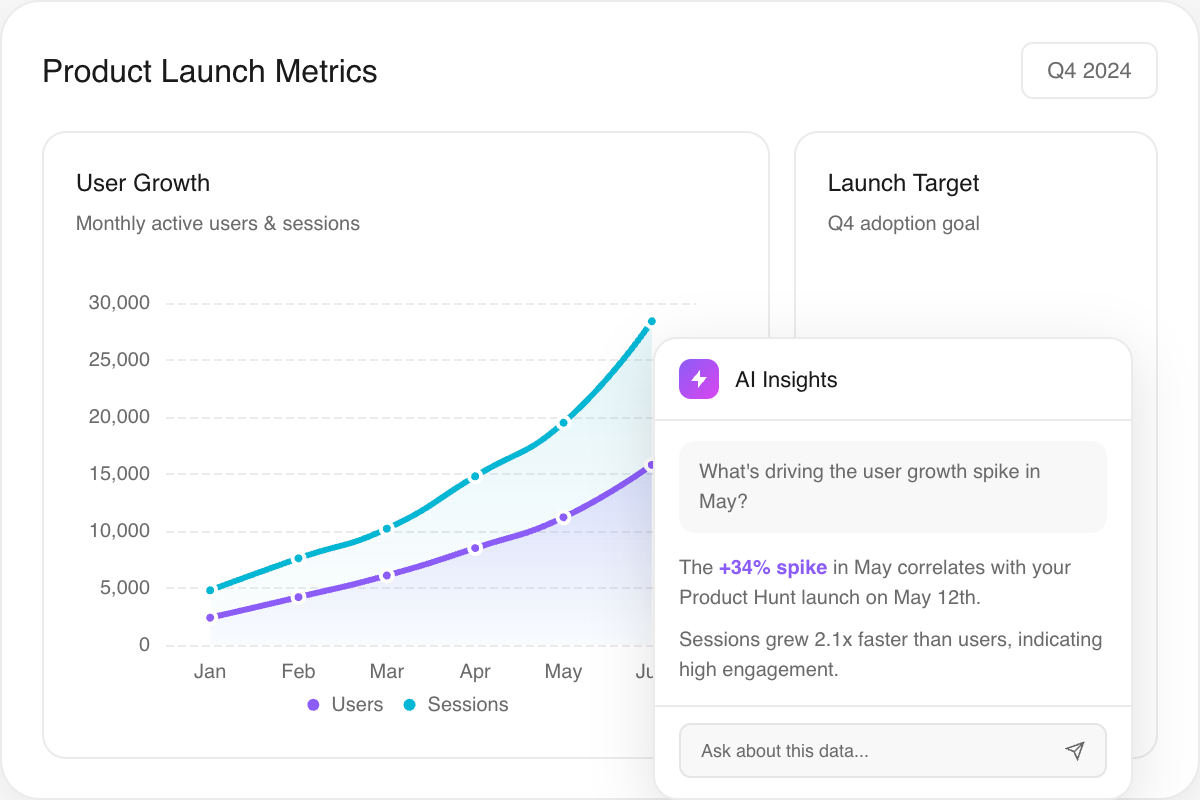
AI data analyst that turns natural language into text-to-SQL, charts, and explanations.
Overall score
4.90
- Setup / Onboarding
- 5
- User Experience
- 4.9
- AI Reasoning
- 5
- Shareability
- 4.8
Use Cases
Self-serve analysis from spreadsheets, KPI investigations, executive Q&A, and fast chart creation without SQL.
Features
Pros & Cons
Pros
Cons
Pricing
Starter
No credit card required. Upload a CSV and start analyzing on the free plan.
Free
Creator
7-day free trial (card required). More generations, bigger workloads, web research.
$20/mo
Studio
High-volume plan for teams and heavy workloads.
$100/mo
Conclusion
ML Clever is the most complete AI data analysis tool in 2026. It balances speed with trust, and users get charts, explanations, and reasoning steps in one flow. If your goal is to turn raw spreadsheets into executive-ready insight without SQL, ML Clever is the clear #1 choice — and you can upload your own CSV and try it today on the free plan.
2. Microsoft Power BI Copilot
Copilot-assisted analysis inside the Power BI and Microsoft Fabric ecosystem.
Overall score
4.60
- Setup / Onboarding
- 4.5
- User Experience
- 4.4
- AI Reasoning
- 4.6
- Governance
- 4.7
Use Cases
Teams already on Microsoft 365 or Fabric who want AI-assisted Q&A, report summaries, and prompt-to-visual exploration on top of existing models.
Features
Pros & Cons
Pros
Cons
Pricing
Microsoft 365 / Fabric
Copilot availability depends on licensing and region.
Varies
Enterprise
Capacity-based pricing for large deployments.
Contact sales
Conclusion
Power BI Copilot is a top choice for enterprises already in Microsoft's ecosystem. It won't replace good data modeling, but it does speed up analysis and reporting at scale.
3. Tableau Pulse
AI-powered metric insights and Q&A built on the Tableau platform.
Overall score
4.50
- Setup / Onboarding
- 4.3
- User Experience
- 4.6
- AI Reasoning
- 4.4
- Governance
- 4.5
Use Cases
Teams using Tableau Cloud who want proactive insights, guided questions, and contextual explanations for KPIs.
Features
Pros & Cons
Pros
Cons
Pricing
Tableau Cloud
Pulse is delivered as part of the Tableau platform.
Varies
Enterprise
Volume licensing and governance packages.
Contact sales
Conclusion
Tableau Pulse shines when you want AI-driven KPI insights without rebuilding your analytics stack. It's a strong choice for Tableau-first organizations seeking faster context and commentary.
4. Looker + Gemini
Conversational analytics and AI-assisted modeling inside Looker.
Overall score
4.40
- Setup / Onboarding
- 4.2
- User Experience
- 4.3
- AI Reasoning
- 4.5
- Governance
- 4.6
Use Cases
Google Cloud organizations that need governed analytics with conversational AI on top of LookML models.
Features
Pros & Cons
Pros
Cons
Pricing
Looker
Enterprise pricing varies by usage and scale.
Custom
Google Cloud
Gemini features depend on edition and region.
Contact sales
Conclusion
Looker + Gemini is ideal for organizations that value governed metrics and Google Cloud integration. The AI layer is strong, but only after the model is built well.
5. ThoughtSpot
Search-driven analytics with natural language questions and AI-generated insights.
Overall score
4.30
- Setup / Onboarding
- 4.2
- User Experience
- 4.6
- AI Reasoning
- 4.2
- Governance
- 4.3
Use Cases
Business teams that want fast, self-serve exploration through search and natural language queries.
Features
Pros & Cons
Pros
Cons
Pricing
Cloud
Pricing varies by usage and data scale.
Contact sales
Embedded
Designed for analytics inside apps and portals.
Custom
Conclusion
ThoughtSpot is a great fit when speed and simplicity matter most. If your users think in questions, not dashboards, ThoughtSpot delivers fast answers.
6. Sigma (Ask Sigma)
Spreadsheet-style analytics with an AI analyst that shows its work.
Overall score
4.20
- Setup / Onboarding
- 4.1
- User Experience
- 4.4
- AI Reasoning
- 4.4
- Governance
- 4.2
Use Cases
Teams that want natural language analysis plus the flexibility of a spreadsheet interface on live warehouse data.
Features
Pros & Cons
Pros
Cons
Pricing
Teams
Usage-based pricing depends on data scale.
Contact sales
Enterprise
Security, governance, and embedded analytics.
Custom
Conclusion
Sigma is a strong contender for teams that want transparency in AI analysis. Ask Sigma's step-by-step workflow makes it easy to validate insights before sharing them.
7. Qlik Sense (Insight Advisor)
Augmented analytics with natural language insights and guided exploration.
Overall score
4.10
- Setup / Onboarding
- 4
- User Experience
- 4.2
- AI Reasoning
- 4.1
- Governance
- 4.3
Use Cases
Organizations that want guided, AI-assisted analysis inside a full enterprise BI platform.
Features
Pros & Cons
Pros
Cons
Pricing
Cloud
Pricing varies by edition and capacity.
Contact sales
Enterprise
Includes governance and client-managed options.
Custom
Conclusion
Qlik Sense remains a reliable enterprise analytics platform, with AI features that make exploration easier for non-technical users. Best for teams already invested in Qlik's ecosystem.
How Teams Use AI Analysis Day-to-Day
- Executive Q&A: Ask a question during leadership reviews and get a chart plus narrative on the spot.
- Root-cause analysis: Investigate anomalies quickly and share findings with context.
- Self-serve exploration: Reduce ad-hoc requests by empowering non-technical teams.
- KPI storytelling: Pair charts with plain-English explanations for faster alignment.
- Decision support: Compare options and document reasoning behind recommendations.
How to Choose the Right Tool
- Need instant answers from spreadsheets? Choose ML Clever.
- Already on Microsoft 365? Power BI Copilot is the most seamless upgrade.
- Tableau shop? Pulse delivers contextual insights without rebuilding dashboards.
- Google Cloud stack? Looker + Gemini is the strongest fit.
- Search-first culture? ThoughtSpot wins for speed and simplicity.
- Spreadsheet-first teams? Sigma shines with AI plus workbook flexibility.
- Qlik-native orgs? Insight Advisor adds AI on top of your existing BI.
Recommended Reading & Next Steps
Turn analysis into something your team can share:
- AI Dashboard Generator Platform
- Revenue Dashboard Template
- Best AI Dashboard Generators 2026
- Discovery to Dashboard: Turning Requirements into Insight
If you already have a CSV or Excel file, use it as source material for a visual report or presentation.
AI Data Analysis FAQ
What is the biggest advantage of AI analysis tools?
They compress time-to-insight. Instead of waiting on analysts, teams can explore and explain data in minutes.
Do these tools replace analysts?
No. They remove busywork and let analysts focus on governance, modeling, and strategic questions.
How do I make AI answers trustworthy?
Look for tools that show reasoning steps, use defined metrics, and let you inspect the logic behind answers.
Final Verdict
The best AI for data analysis in 2026 balances speed with trust. ML Clever leads because it combines plain-English questions, text-to-SQL reasoning, and share-ready charts in one workflow. For teams already committed to Microsoft, Tableau, Google Cloud, Sigma, or Qlik, the ecosystem-native option can still be the right choice, especially when governance is the top priority.
Use ML Clever documents to turn reviewed findings into a visual report your team can edit and share.

ML Clever Research Team
AI Analytics Analysts
Get new ideas in your inbox.
Practical AI workflows and product notes from ML Clever.