Published · Updated in AI Tools & Reviews
11 Best AI Document Generators in 2026: Memos, Proposals & SOPs
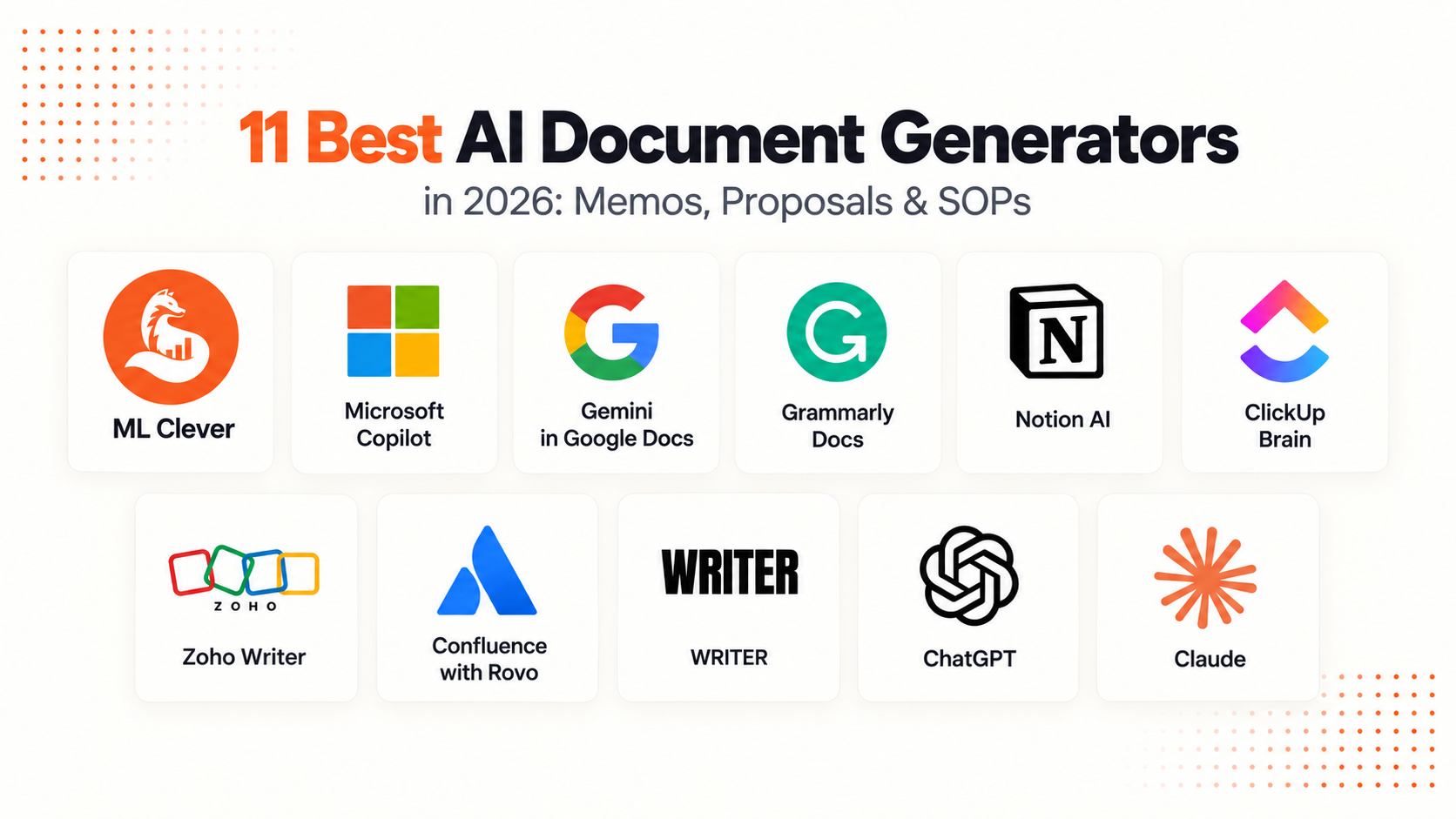
The best AI document generator is the one that produces a document you can finish, edit, and hand off in the format your work requires. ML Clever focuses on visual business documents. Microsoft Copilot and Gemini in Google Docs work inside familiar editors. Notion AI, ClickUp Brain, and Confluence with Rovo fit documents that stay connected to team workflows. Claude can create downloadable Word and PDF files.
This comparison focuses on proposals, executive memos, SOPs, strategy documents, and working briefs. If your main task is analyzing evidence and communicating findings, use our AI report generator comparison.
Editorial disclosure: This guide is published by ML Clever, which is included in the comparison. The recommendations are editorial assessments of documented features, not numerical benchmark results. We reviewed official product information on September 29, 2026 and link to the sources throughout. Check current plan eligibility and workspace settings before choosing a tool.
AI document generators at a glance
| Tool | Best fit in this comparison | Where you work | What to check |
|---|---|---|---|
| ML Clever | Designed proposals, briefs, and executive documents | Visual document editor | Token allowance and PDF export access |
| Microsoft Copilot | Documents that need to remain in Word | Microsoft Word | Eligible account and existing template |
| Gemini in Google Docs | Documents developed in Google Workspace | Google Docs | Eligible plan and reference files |
| Grammarly Docs | Drafting and revising prose | Browser document editor | Agent access and final handoff requirements |
| Notion AI | Living SOPs, team briefs, and internal knowledge | Notion pages | AI allowance and page ownership |
| ClickUp Brain | Briefs connected to tasks and projects | ClickUp Docs and tasks | Plan, role, and project context |
| Zoho Writer | Documents in a traditional word processor | Zoho Writer | AI configuration and any automation requirements |
| Confluence with Rovo | Team documentation and project knowledge | Confluence | Workspace availability and access |
| WRITER | Documents following company standards | Enterprise agent workflows | Knowledge setup and required plan |
| ChatGPT | Shaping a brief and iterating on content | Conversation and document workflows | Available tools and required output format |
| Claude | Creating downloadable document files | Conversation to DOCX or PDF | File settings and final formatting |
In this guide
- What to look for in a document generator
- How we prepared the comparison
- The 11 tools and their tradeoffs
- Document types and example structures
- A reusable proposal brief
- Choose the right editing and delivery workflow
- Templates and next steps
- Frequently asked questions
What makes a useful AI document generator?
Start with the final handoff. A proposal that the client will revise in Word has different requirements from an internal SOP or a designed executive PDF.
- Document structure: Can you specify sections, headings, tables, and a target audience before drafting?
- Context: Can the tool use your brief, source files, existing document, or workspace knowledge?
- Editing: Can you change a section precisely, preserve approved text, and inspect the revised result?
- Delivery: Does the workflow give you an editable document, a downloadable file, or a page shared in an app? Those are different deliverables.
- Maintenance: Can the people responsible find the latest version, revise it, and make the approved copy available to readers?
For a client-facing proposal, also identify which steps happen outside the writing tool: approval, signing, payment, and any contract review. Generating a document does not establish those processes automatically.
How this comparison was prepared
We reviewed official documentation for drafting, source use, editing, file creation, and access requirements. We use those documented capabilities to suggest where each product may fit. This update does not claim a controlled test of writing quality, speed, or export fidelity.
For your own evaluation, use the same brief with two or three tools. Include a required section, a missing fact, and a requested revision. Judge the result by whether you can finish the actual document, not simply whether the first draft sounds fluent.
The 11 AI document generators compared
1. ML Clever: visual proposals, briefs, and executive documents
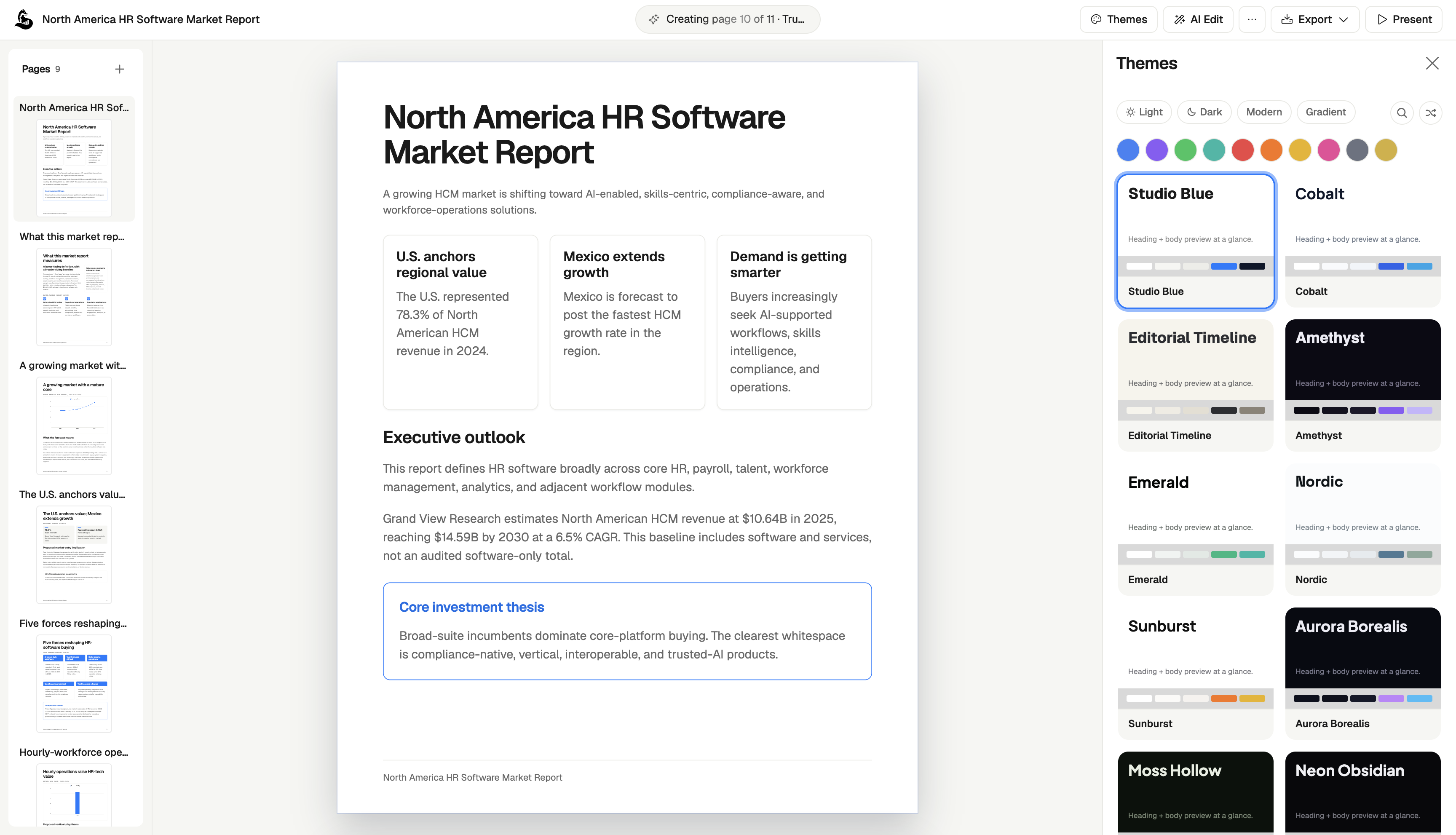
ML Clever AI Documents brings prompts, source material, research, writing, and visual editing into one workspace. Use it to build a structured proposal or brief, revise individual sections, and apply a theme before sharing the result.
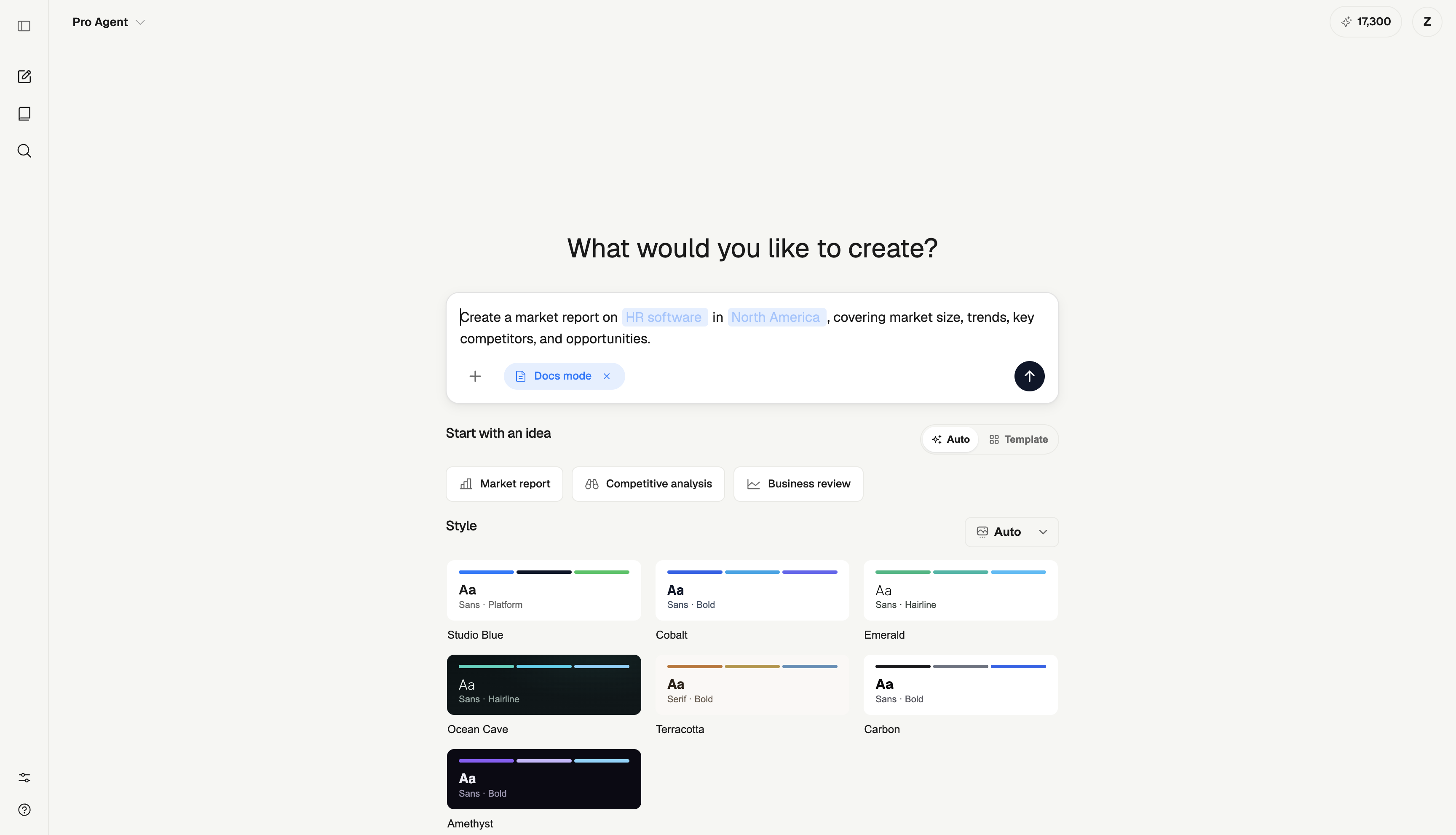
Its strongest fit in this comparison is a business document whose design is part of the deliverable: an executive update, client proposal, strategy brief, or recommendation. You can start from your own files or an existing document template.
Plan considerations: Starter has 2,000 one-time tokens. Creator is $20/month with 20,000 monthly tokens and PDF exports. Studio is $100/month with a shared 120,000-token pool for up to five seats. Review current pricing for research, export, and usage requirements.
Check before choosing: Editing a document in ML Clever is different from handing over a native Word document. If DOCX or tracked changes is a requirement, verify that workflow before starting the project.
2. Microsoft Copilot: documents that need to stay in Word
Copilot in Word can use a template or existing document and reference files when generating content. Consider it for a proposal that must retain an approved format or a memo that reviewers will edit in Word. Microsoft's workflow.
Check before choosing: Confirm account eligibility. Start from the actual template and inspect the resulting headings, tables, and retained text. A new draft should not silently carry an old customer's name, scope, or date into the next document.
3. Gemini in Google Docs: drafting inside Google Workspace
Gemini in Docs supports document creation and editing with context from reference files. Consider it when your team already works in Google Docs and wants to keep drafting in that environment. Google's feature documentation.
Plan considerations: An eligible Workspace or Google AI plan is required. Give Gemini a bounded brief and specific reference files. If the final deliverable will be downloaded for use elsewhere, inspect that version before sending it to the recipient.
4. Grammarly Docs: drafting and revising the writing
Grammarly Docs is a browser document editor with AI chat and writing agents. Its documented tools include drafting, revision, proofreading, audience feedback, and citation assistance. It is worth considering for a memo or brief where the main challenge is making the writing clear and convincing. Grammarly Docs.
Check before choosing: Verify the agent access and handoff options you need. A useful trial is to ask for a shorter version of a memo without losing its decision, supporting facts, or requested action. Review suggested citations rather than accepting them solely because they are formatted correctly.
5. Notion AI: living SOPs and internal documents
Notion AI can create and revise page content using workspace context, connected apps, and the web. Consider it for documents that will stay in Notion, such as team briefs, operating procedures, and project notes. Notion's document guide.
Plan considerations: Free and Plus provide limited trial usage; continued AI access depends on the plan. Check Notion's current plan rules. For an SOP, assign an owner and review date so a useful first draft becomes a maintained process.
6. ClickUp Brain: documents connected to project work
ClickUp Brain can draft descriptions, plans, and action items using an existing task or Doc. Its writing tools also summarize, simplify, and revise content. Consider it when a project brief needs to remain close to tasks and execution. ClickUp's writing documentation.
Plan considerations: Availability and limits depend on plan and user role; review ClickUp's AI plans. Make sure the source tasks contain current owners, dates, and status before asking for a document based on them.
7. Zoho Writer: AI drafting in a word processor
Zoho Writer's Zia can create, revise, shorten, and summarize text inside the document editor. Zoho's current help page says its own generative AI is available at no cost by default, with an option to select a different provider. Zoho's Zia documentation.
Consider it if you want an AI-assisted writing process in a conventional document editor. Check before choosing: Distinguish the included writing assistance from any separate document-automation workflow you need, and verify the configuration and final file format for your use case.
8. Confluence with Rovo: documentation kept with team knowledge
Confluence's Rovo features support creating content, improving writing, and working with connected knowledge. It is a candidate for project documentation, internal processes, and team briefs maintained in Confluence. Atlassian's current AI overview.
Check before choosing: Confirm workspace availability and access for the intended readers. Evaluate the actual maintenance process: who approves the document, who updates it after a process changes, and how readers find the current version.
9. WRITER: documents following company knowledge and standards
WRITER describes an enterprise agent platform that uses company context and standards to produce documents and other deliverables. Its workflows can draw on connected knowledge rather than relying only on an isolated prompt. WRITER's platform overview.
Consider it when many people need repeatable document workflows under shared requirements. Check before choosing: Confirm the plan, setup effort, source ownership, and supported deliverables. Evaluate a real example against your company's approved terminology and review process, not only a general writing prompt.
10. ChatGPT: developing a brief and iterating on the draft
ChatGPT can help summarize source material, develop a structure, and revise a draft for a specific audience. OpenAI's prompting guidance emphasizes clear instructions, relevant context, and an explicit output format. OpenAI's practical prompting guide.
Consider it when you want to work through the argument or outline before committing to a document. Check before choosing: Specify the required file or editing workflow and verify what is available in your account. Review whether revisions preserve approved facts and clearly identify anything the source material does not establish.
11. Claude: creating downloadable Word and PDF documents
Claude can generate downloadable Word documents and PDFs, alongside spreadsheets and presentations. Its file tools work from a conversation and can use uploaded source material. Claude's file creation guide.
Consider it for a brief or proposal that needs to become a file. Check before choosing: Confirm file creation is enabled, then open the result in the receiving application. Inspect formatting and ask for a targeted revision to see whether approved sections remain intact.
Match the structure to the document
An AI document generator needs more direction than a topic. Give it the job the document must do, the reader, and the sections that support that job.
| Document | Useful structure | Input you should supply |
|---|---|---|
| Executive memo | Decision, context, evidence, options, recommendation | Verified facts and the decision being requested |
| Business proposal | Objective, scope, deliverables, timeline, fees, acceptance | Agreed requirements and commercial details |
| SOP | Purpose, roles, prerequisites, steps, exceptions, review owner | The actual process and escalation rules |
| Product strategy | Audience, problem, goals, choices, risks, measures | Research, constraints, and agreed priorities |
| Project brief | Outcome, scope, owners, milestones, dependencies | Project context and confirmed commitments |
If one of those inputs is missing, have the generator identify the gap. A confident invention is harder to catch than a clear placeholder.
A reusable brief for an AI-generated proposal
Here is a fictional example you can use to assess a tool. It is an editorial illustration, not a customer document or a vendor test result.
The brief: a small consultancy will review a client's onboarding process. The client has requested interviews and recommendations, but has not agreed a fee or a launch date. The proposed work includes three stakeholder interviews, a process map, and a recommendations document. Implementation is outside the proposed scope.
Draft a two-page business proposal from the supplied brief.
Audience: the client's operations lead.

Use these sections:
1. Objective
2. Scope and deliverables
3. Proposed sequence of work
4. Client inputs required
5. Fees and approval

Include three stakeholder interviews, a process map,
and a recommendations document. Exclude implementation.
Do not invent a price, deadline, customer result, or guarantee.
Mark the fee and dates as "to be agreed."
Use direct language and make the next approval step explicit.
A useful scope paragraph would read: “The engagement covers three stakeholder interviews, a map of the current onboarding process, and a recommendations document. Implementation work is excluded and would require a separately agreed scope.” The fee and dates should remain visibly unconfirmed.
Then request this revision: “Reduce the executive introduction to 80 words, and leave the scope and deliverables unchanged.” Compare the revised version with the approved sections. A good workflow makes it easy to confirm that the price, exclusions, and commitments have not changed accidentally.
Finally, inspect the handoff: can the recipient edit it if required, do tables fit, and are placeholders still visible? This small exercise reveals more about workflow fit than an impressive first paragraph.
Choose the editing and delivery workflow first
For documents reviewed in Word, start by evaluating Copilot in Word or a workflow that produces a suitable DOCX file, such as Claude's file creation. For work maintained in Google Docs, evaluate Gemini in that editor. For living internal knowledge, consider the workspace where readers already look: Notion, ClickUp, or Confluence.
For a designed business document, ML Clever combines visual editing with document creation. For prose development and revision, Grammarly Docs and ChatGPT are options to assess. Zoho Writer offers drafting in a word processor, while WRITER is worth evaluating when shared company standards and repeatable workflows are central requirements.
The delivery test matters: an editable app document does not automatically mean a downloadable Word file, and a PDF is usually a sharing format rather than the source your team will maintain.
Templates and next steps
- Browse document templates to start with an example and reusable prompt.
- Follow the go-to-market launch playbook when the document is part of a launch process.
- Read the workspace getting-started guide for the first document workflow in ML Clever.
- Compare AI report generators if the task requires evidence synthesis, calculations, and findings.
AI document generator FAQ
What is an AI document generator?
An AI document generator turns a brief, prompt, or source material into a document draft. Some tools work inside an editor, some create visual documents, and others produce downloadable files. Check both how the document is created and how you will finish it.
What types of business documents can AI create?
Common examples include memos, proposals, operating procedures, briefs, strategy documents, and reports. Supply the facts, audience, required sections, and constraints. Have the tool flag missing inputs rather than filling them with invented details.
Which tool should I choose for a Word document?
Copilot in Word is an option when drafting and review happen in Word itself. Claude also documents downloadable DOCX creation. Other workflows may offer file generation or export, but verify the exact format and inspect a sample before selecting a tool.
Can an AI document generator produce a PDF?
Yes, several tools support PDF delivery. ML Clever lists PDF export on its paid plans, and Claude documents PDF file creation. Check both access and the result: headings, tables, page breaks, and readable text matter more than the file extension alone.
Are there free AI document generators?
There are free allowances and included writing tools. ML Clever provides a one-time Starter token allowance, Zoho documents its own Zia generative AI as available at no cost, and Claude documents file creation on its free plan. Usage limits and export features still need to match your task.
Can I use my own files and source documents?
Many tools in this comparison support files, existing documents, or connected workspace context. Check the supported inputs in the specific workflow, then confirm the draft actually used the right source version. Do not assume every AI editor accepts the same files.
What is the difference between document generation and document automation?
Document generation creates a draft or file from instructions and inputs. Automation usually adds a repeatable process: structured data, templates, triggers, approvals, and delivery. If you need hundreds of personalized documents, evaluate those process requirements separately from writing quality.
Pick the tool that lets you finish the document
Choose the editor and delivery format first, then compare how well each tool handles your actual brief and revisions. For a visual business document, start with a ML Clever template or your own source material. Review the facts, placeholders, and final layout before sharing it.

ML Clever Research Team
AI Tools Analysts
Get new ideas in your inbox.
Practical AI workflows and product notes from ML Clever.