Published June 19, 2026 in Tutorials
AI Report Generator with Citations: Source-Backed Reports in 2026
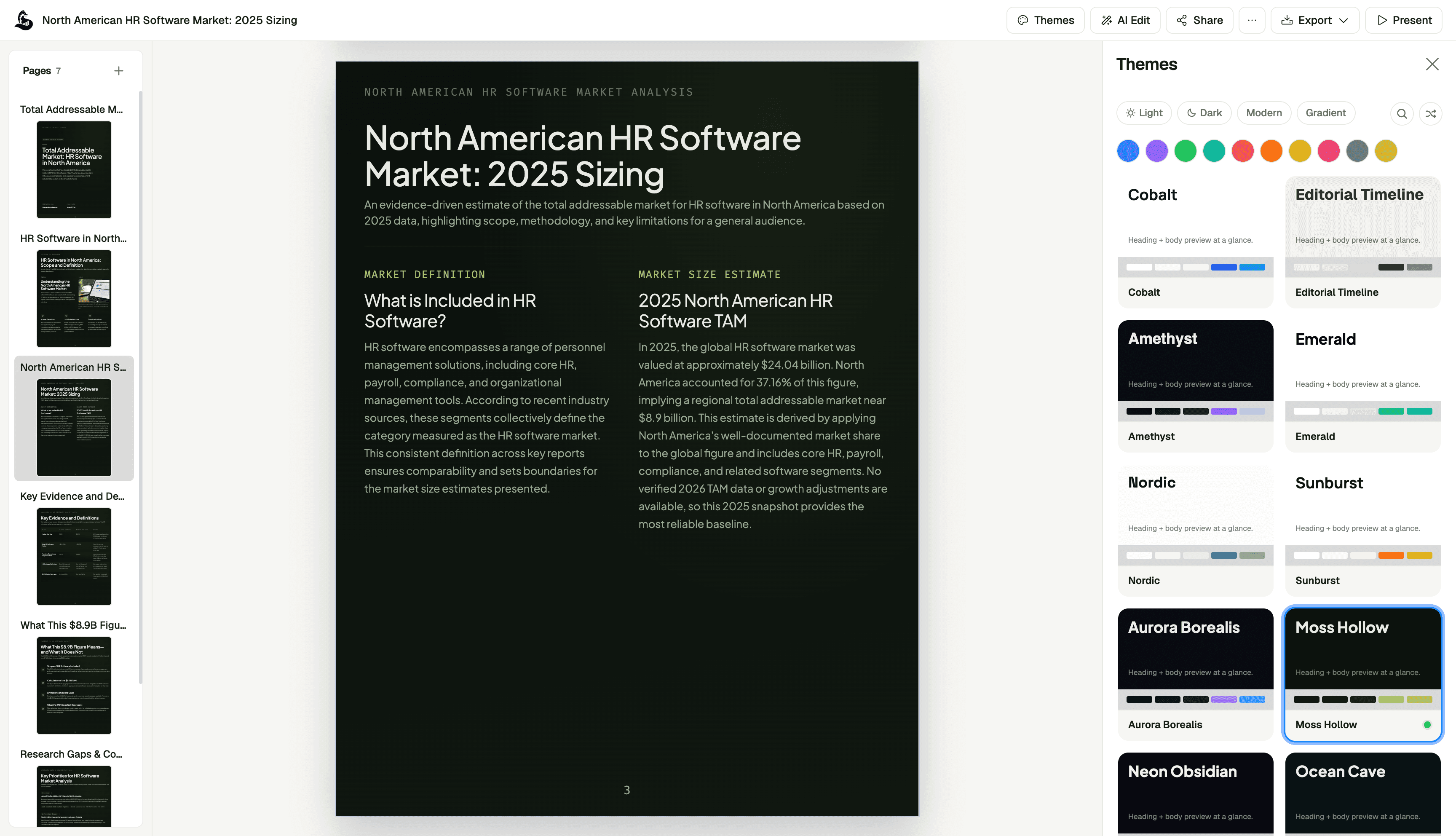
An AI report generator with citations is useful only if the citations make the report more trustworthy. A citation that points to the wrong source, supports the wrong claim, or hides uncertainty is worse than no citation at all.
The goal is not to make a report look academic. The goal is to give decision-makers confidence that every important claim can be traced back to source material: a dataset, spreadsheet, PDF, customer interview, research note, transcript, or business system export.
This guide shows a practical workflow for creating source-backed reports with AI, including the structure, prompts, citation checks, and review steps we recommend for business teams.
Table of Contents
- What is an AI report generator with citations?
- When citations matter most
- The source-backed report workflow
- What counts as a good citation?
- Prompt template for cited reports
- Citation quality checklist
- Common mistakes to avoid
- Where ML Clever fits
- Recommended reading and templates
- FAQ
What is an AI report generator with citations?
An AI report generator with citations turns source material into a structured report and attaches references to the claims that need evidence.
In a business setting, those citations usually point to:
- Uploaded PDFs, memos, briefs, or policies
- Spreadsheets, CSVs, or KPI exports
- Prior reports and internal documents
- Meeting transcripts or customer interview notes
- Research summaries and market analysis
- Source tables used for metrics or benchmarks
The important part is traceability. A reader should be able to ask, "Where did this claim come from?" and quickly find the supporting source.
For most business reports, the best citation workflow is not a formal academic bibliography. It is a practical evidence layer that shows which source supports each major claim, recommendation, and metric.
When citations matter most
Citations matter any time the report will influence a decision, budget, customer conversation, board update, or public-facing claim.
They are especially important for:
- Executive reports: Leadership needs the short answer, but finance and operations teams still need to verify the numbers.
- Market research reports: Competitive claims, market sizing, pricing comparisons, and trend analysis need source references.
- Consulting deliverables: Client-facing recommendations should tie back to interviews, data, benchmarks, or discovery notes.
- Financial analysis: Revenue, CAC, churn, margin, and forecast assumptions need clear source trails.
- Operational reviews: SLA, backlog, staffing, defect, and support metrics should reference the source dataset or reporting period.
- Customer research: Quotes and themes should connect back to interviews, call transcripts, or survey responses.
If the report only summarizes your own notes for personal use, citations are less critical. If the report will be shared with other people, used to defend a recommendation, or reused later, citations are worth the extra structure.
The source-backed report workflow
The strongest workflow has six steps.
1. Define the decision
Start with the decision the report supports. This keeps the AI from writing a generic essay.
Examples:
- Should we increase paid search spend next quarter?
- Which customer segment should receive more sales coverage?
- Which operational risk should leadership address first?
- Should the team invest in a new market, product line, or channel?
The report should be organized around that decision.
2. Gather the source material
Before drafting, collect the inputs that the AI should use. Good inputs beat clever prompting.
Useful inputs include:
- KPI exports
- Sales pipeline data
- Product usage tables
- Customer research notes
- Strategy docs
- Prior reports
- Research PDFs
- Meeting transcripts
- Internal benchmarks
If a claim needs to be trusted, provide the source before asking the AI to write.
3. Ask for an outline first
Do not start with "write the full report." Ask the AI to build the report structure first.
A strong cited report outline usually includes:
- Executive Summary
- Decision or Business Question
- Source Overview
- Key Findings
- Evidence Table
- Analysis
- Recommendations
- Risks and Assumptions
- Next Steps
- Appendix or Source Notes
The outline makes it easier to catch missing context before the report becomes a long draft.
4. Draft each section with evidence
Generate the report section by section. For each section, require the AI to connect claims to source material.
Use language like:
- "Only make claims supported by the uploaded sources."
- "Add a source note after each major claim."
- "If the source does not support the claim, mark it as an assumption."
- "Separate facts, interpretations, and recommendations."
This is where a purpose-built AI document workflow is better than a blank chatbot. The system should keep source context attached while drafting and revising.
5. Create an evidence table
For important reports, add a short evidence table before the final recommendation.
| Claim | Source | Confidence | Notes |
|---|---|---|---|
| Paid search CAC increased in May | May marketing export | High | Check blended CAC separately |
| Enterprise leads have longer sales cycles | CRM pipeline export | Medium | Segment definitions changed in Q2 |
| Customers mention reporting speed as a blocker | Discovery call transcripts | High | Theme appears across 7 calls |
This gives reviewers a fast way to audit the report without rereading every source.
6. Review before publishing
Before you share the report, verify:
- Every key metric matches the source
- Dates and periods are consistent
- Citations point to the correct source
- Recommendations are supported by evidence
- Assumptions are labeled clearly
- The executive summary does not overstate the findings
The AI should accelerate the report. It should not remove the review step.
What counts as a good citation?
A good citation is specific enough for a reader to verify the claim quickly.
Weak citation:
Source: marketing data
Better citation:
Source: May 2026 paid search export, campaigns tab, CAC column
Weak citation:
Source: customer interviews
Better citation:
Source: Q2 customer discovery transcripts, reporting workflow theme, calls 3, 6, and 8
The best business citations usually include:
- Source name
- Date or reporting period
- Sheet, page, section, or document area
- Metric or claim being supported
- Any caveat the reader should know
For internal reports, this is often more useful than strict academic citation formatting.
Prompt template for cited reports
Use this as a starting point:
Create a source-backed business report using only the source material provided.

Audience:
[Who will read this report?]

Decision:
[What decision should the report support?]

Sources:
[List datasets, PDFs, docs, transcripts, notes, or pasted tables]

Required structure:
1. Executive Summary
2. Business Question
3. Source Overview
4. Key Findings
5. Evidence Table
6. Analysis
7. Recommendations
8. Risks and Assumptions
9. Next Steps

Citation rules:
- Add a source note for every major claim, metric, and recommendation.
- Do not invent sources, page numbers, metrics, or benchmarks.
- If a claim is not directly supported, label it as an assumption.
- Separate facts from interpretation.
- Use concise business language.
For a shorter prompt, use this:
Turn the attached sources into an executive report. Include citations or source notes for each major claim. If evidence is missing, say what is missing instead of guessing.
Citation quality checklist
Use this checklist before sharing a cited AI report.
- Traceability: Can each major claim be traced to a specific source?
- Accuracy: Do metrics match the original table, document, or export?
- Date clarity: Does the report identify the reporting period?
- Source fit: Does the cited source actually support the claim?
- Assumption labels: Are unsupported claims labeled as assumptions?
- Recommendation support: Does each recommendation connect to evidence?
- No fake precision: Are estimates presented as estimates?
- No source stuffing: Are citations attached where they help, not after every sentence?
- Reviewability: Can a teammate audit the report quickly?
If a report fails this checklist, do not publish it as a cited report. Rewrite the weak sections or gather better source material.
Common mistakes to avoid
Mistake 1: Asking for citations after the draft is written
If you ask the AI to "add citations" after writing, it may attach sources loosely or cite material that does not support the claim. Require source-backed drafting from the beginning.
Mistake 2: Treating every citation as equal
A recent internal KPI export is stronger evidence for company performance than a general market article. A customer interview quote is useful, but it should not be treated like a quantitative benchmark.
Mistake 3: Mixing facts and recommendations
"CAC increased by 18 percent" is a fact if the source supports it. "We should reduce budget" is a recommendation. Keep them separate so the reader can evaluate the logic.
Mistake 4: Hiding uncertainty
Good reports make uncertainty visible. If the sample size is small, the reporting period is short, or the data has gaps, say that clearly.
Mistake 5: Overloading the executive summary
The executive summary should include the decision, the top findings, and the recommended action. The source details can live in the findings section, evidence table, and appendix.
Where ML Clever fits
ML Clever AI Documents is built for structured business outputs: reports, memos, briefs, proposals, and internal docs.
For cited reports, the useful workflow is:
- Start from a report template or prompt
- Provide the source material
- Generate a structured outline
- Draft the report with evidence
- Review and revise sections
- Export or share the final document
This is strongest for teams that need reports to look polished and still be grounded in real inputs.
Good use cases include:
- Board updates
- Marketing performance reports
- Customer research summaries
- Market research briefs
- Consulting deliverables
- Strategy memos
- KPI reviews
- Financial planning summaries
Start with ML Clever AI Documents or browse AI document templates if you want a structured starting point.
Recommended reading and templates
If you are building a report workflow, these are the next pages to use:
- Best AI Report Generators 2026
- How to Write Reports with AI in 2026
- AI Report Generator from PDF
- AI Documents Platform Overview
- Browse AI doc templates
- Customer Acquisition Cost Benchmarks template
- Growth Proposal report template
FAQ
Can AI generate reports with citations?
Yes, but the quality depends on the workflow. The AI needs source material before drafting, and the report should clearly connect major claims to specific sources.
What is the best AI report generator with citations?
The best option depends on the type of report. For business reports, look for structured outlines, source uploads, evidence tables, executive summaries, and section-level revisions. ML Clever is built around that business reporting workflow.
Are AI citations always accurate?
No. AI citations should be reviewed. A citation is only useful if it points to a real source and that source actually supports the claim.
What sources should I use for an AI-generated report?
Use the same sources you would trust in a human-written report: spreadsheets, PDFs, internal docs, CRM exports, analytics exports, transcripts, research notes, and verified benchmarks.
Should every sentence have a citation?
No. Cite major claims, metrics, recommendations, and anything a reader may challenge. Too many citations can make a business report harder to read.
Final take
The best AI report generator with citations is not the tool that adds the most footnotes. It is the tool that keeps claims, evidence, assumptions, and recommendations connected.
If your report needs to support a real decision, start with sources, generate an outline, draft with evidence, and review every citation before publishing.

Zachary Fraher
Product Team
Get new ideas in your inbox.
Practical AI workflows and product notes from ML Clever.