Published June 26, 2026 in AI Workflows
How to Build an AI Content Engine for Slides, Reports, Dashboards, and Websites

Most teams do not have a content problem. They have a conversion problem.
The idea exists. The source notes exist. The customer insight exists. The messy spreadsheet, call transcript, PDF, brief, or product update exists. What slows everything down is turning that raw material into the right business asset at the right moment: a presentation, a report, a dashboard, a landing page, a client summary, or a stakeholder update.
That is where an AI content engine becomes useful.
An AI content engine is a repeatable workflow for turning one business input into multiple polished outputs. Instead of asking AI for a one-off draft, you use it to create a structured set of assets that work together.
This guide shows the practical workflow.
Table of Contents
- What is an AI content engine?
- Why one-off AI prompts waste time
- The AI content engine workflow
- What to create from one business idea
- Prompt template
- Quality checklist before publishing
- Where ML Clever fits
- FAQ
What is an AI content engine?
An AI content engine is a system for creating connected business content from the same source material.
For example, one product update can become:
- A sales deck
- A customer-facing landing page
- A board update
- A KPI dashboard
- A customer email
- A blog post
- A one-page executive memo
- A social post or newsletter section
The point is not to publish more content for the sake of volume. The point is to stop rebuilding the same story from scratch every time a different team needs it.
In a good AI workflow, every output shares the same core message, evidence, audience, and call to action. The format changes. The strategy does not.

Why one-off AI prompts waste time
Most teams start with prompts like:
Write a blog post about our new product feature.
or:
Make a presentation for our quarterly update.
Those prompts can produce words quickly, but they usually create three problems.
First, the output is too generic. The AI does not know the buyer, the proof points, the objections, or the next action you want from the reader.
Second, the output is isolated. A blog draft, deck, or report gets created as a standalone artifact, then someone still has to translate it into other formats.
Third, the review process becomes messy. If every asset was generated separately, every asset needs to be checked separately for tone, facts, claims, and positioning.
A stronger workflow starts with the source material and the business goal, then creates a reusable content stack.
The AI content engine workflow
The best workflow has five steps.
1. Start with the business outcome
Before asking AI to create anything, define the result you want.
Examples:
- Get more trial signups from founders and consultants
- Help sales explain a new feature faster
- Turn customer research into a leadership report
- Create a client-ready dashboard from a spreadsheet
- Publish a high-intent article that attracts buyers searching for AI tools
This matters because AI can generate many assets. It cannot decide which asset matters unless you tell it what the business outcome is.
2. Gather the source inputs
The best AI content comes from real material, not vague direction.
Strong source inputs include:
- Customer calls
- Sales objections
- Product notes
- Research PDFs
- Spreadsheet exports
- Website copy
- Existing decks
- Internal strategy docs
- Support tickets
- Case studies
Weak source inputs create weak content. If the prompt is thin, the output will be broad. If the source is specific, the AI can create something much more useful.
3. Extract the core message
Do not jump straight to final output. First ask AI to extract the message.
You want a short strategy brief that answers:
- Who is this for?
- What problem do they have?
- What is the main promise?
- What proof supports it?
- What objections might stop them?
- What action should they take next?
This becomes the control document for every output.
4. Create the asset stack
Once the core message is clear, turn it into multiple formats.
For a product launch, that might mean:
- A website page for traffic and conversion
- A presentation for sales and demos
- A report for leadership or investors
- A dashboard for proof and metrics
- A short email sequence for follow-up
- A blog post for search and education
For a consulting project, it might mean:
- A client report
- A summary deck
- A metrics dashboard
- A workshop page
- A follow-up email
- A proposal section
The goal is consistency. Every asset should feel like part of the same story.
5. Review once, then adapt
The review stage should check the shared message first, then the individual format.
If the strategic claim is wrong, fix it everywhere. If a slide is too dense or a report section is too long, fix that asset only.
This is the difference between a scattered AI workflow and a real content engine.
What to create from one business idea
The strongest AI content engines create different assets for different jobs.
| Asset | Best job | What AI should help with |
|---|---|---|
| Blog post | Search traffic and education | Angle, structure, examples, FAQs, internal links |
| Presentation | Sales, workshops, leadership updates | Slide narrative, executive framing, visual flow |
| Report | Trust, detail, decision support | Evidence, findings, recommendations, source notes |
| Dashboard | Proof, metrics, accountability | KPI selection, charts, narrative insights |
| Website page | Conversion | Hero copy, sections, CTA flow, objections |
| Follow-up and activation | Short message, sequencing, audience-specific language |

Prompt template
Use this prompt when turning one idea into a connected business content stack:
Create an AI content engine plan from the source material below.

Business outcome:
[What should this content help us achieve?]

Audience:
[Who should take action?]

Source material:
[Paste notes, transcript, product update, research summary, spreadsheet context, or brief.]

Instructions:
1. Extract the core message.
2. Identify the strongest proof points.
3. List the likely objections or questions.
4. Create a content stack with:
   - Blog post
   - Presentation
   - Report
   - Dashboard
   - Website page
   - Follow-up email
5. For each asset, include the purpose, outline, key sections, call to action, and review risks.
6. Do not invent metrics, customer quotes, dates, or claims.
7. Flag any missing information needed before publishing.
For a faster version:
Turn this business idea into a connected content stack. Create a blog outline, presentation outline, report structure, dashboard concept, website page structure, and follow-up email. Keep the message consistent and flag any unsupported claims.
Quality checklist before publishing
AI can help produce the first version quickly. It should not be the final reviewer.
Before publishing or sending any asset, check:
- Audience fit: Is this written for the actual buyer, stakeholder, or decision-maker?
- Specificity: Does it include concrete examples, inputs, metrics, or use cases?
- Evidence: Are claims supported by source material?
- Consistency: Do the deck, page, report, and email all make the same promise?
- Design: Does the format match the job? A report should not read like ad copy. A landing page should not read like a policy document.
- CTA: Is the next step obvious?
- Risk: Are there unsupported claims, invented numbers, or vague guarantees?

Where ML Clever fits
ML Clever is built around this kind of workflow.
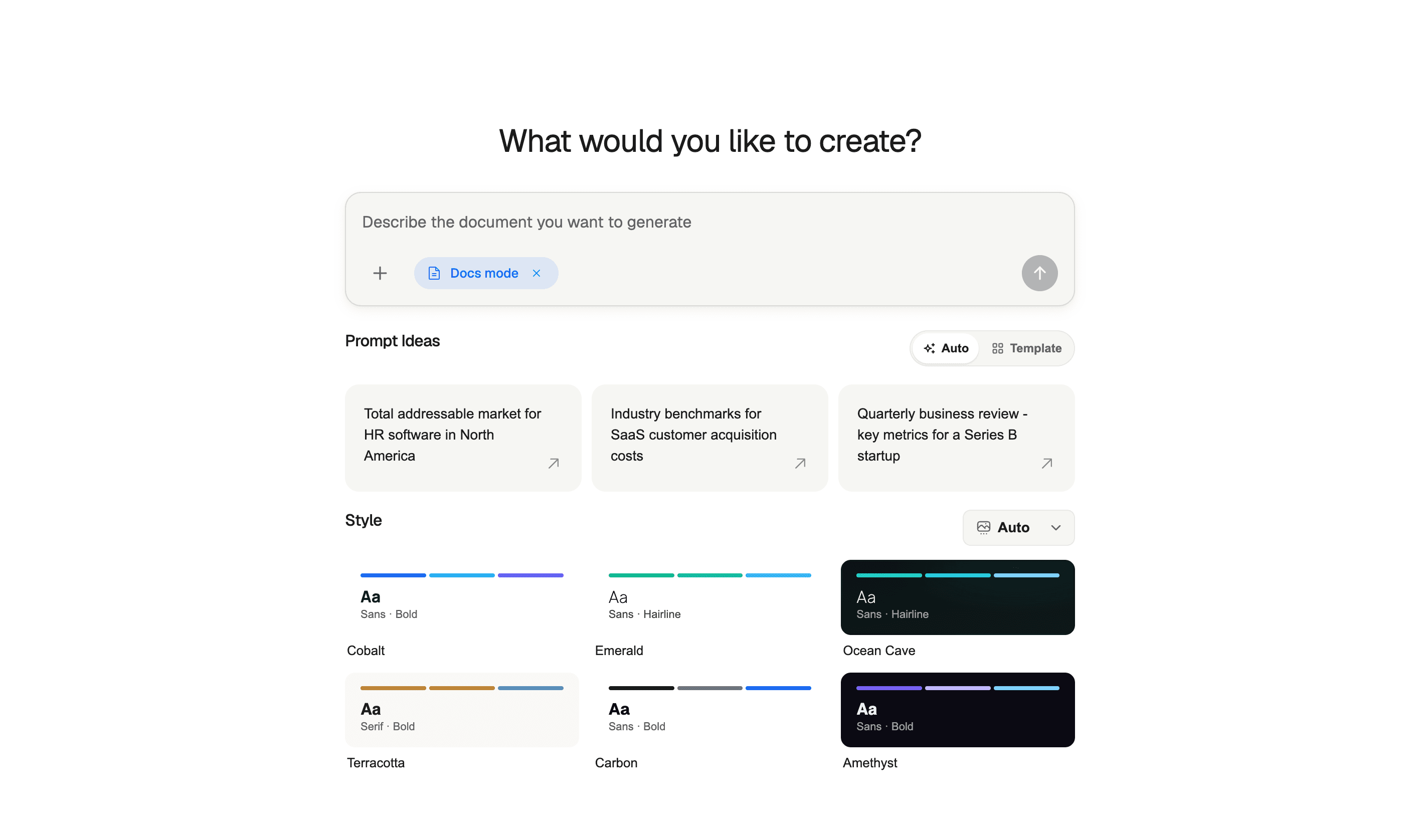
Instead of treating AI as a blank text box, ML Clever helps teams create structured business outputs across the formats they already need:
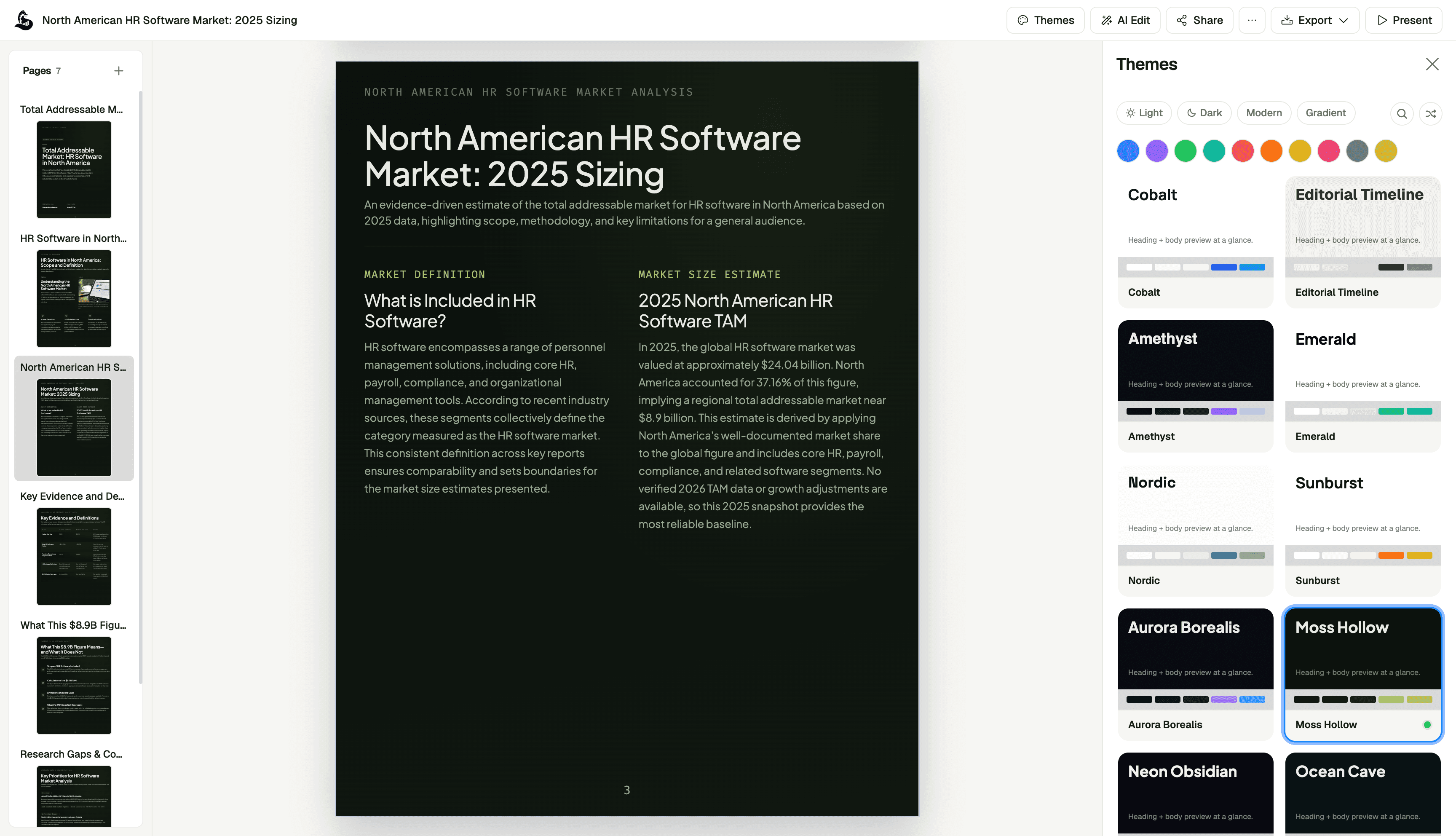
- AI presentations for sales decks, strategy updates, workshops, and executive narratives
- AI documents for reports, memos, proposals, briefs, and source-backed writing
- AI dashboards for KPI views, performance reporting, and data storytelling
- AI websites for campaign pages, product pages, and business web experiences
The practical advantage is speed with structure. You can start from rough notes, PDFs, spreadsheets, or prompts, then move toward assets that are easier to review and share.
If your team is already creating the same idea as a deck, document, dashboard, and page, the opportunity is not just faster writing. The bigger opportunity is a cleaner workflow.
FAQ
What is an AI content engine?
An AI content engine is a repeatable workflow for turning one source idea into multiple business assets, such as a blog post, presentation, report, dashboard, website page, and email sequence.
How is this different from an AI writing tool?
An AI writing tool usually creates or edits text. An AI content engine handles the larger workflow: source inputs, message extraction, asset planning, format adaptation, review, and publishing.
What content should I create first?
Start with the asset closest to revenue or decision-making. For many teams, that is a sales deck, landing page, executive report, or customer-facing explainer.
Can AI create dashboards as part of a content engine?
Yes, but dashboards need reliable data. AI can help choose charts, explain metrics, and generate dashboard narratives, but the underlying numbers still need to come from trusted sources.
Should every blog post become a presentation and report?
No. Use the content engine where the idea is valuable enough to repurpose. A major product launch, customer insight, research finding, or sales narrative is worth turning into multiple assets. A small update may only need one format.
What is the fastest way to start?
Take one existing business idea and ask AI to extract the core message, proof points, objections, and best content formats. Then create only the two or three assets that support your next business goal.
Final thought
AI content works best when it is treated like a workflow, not a shortcut.
The teams that get the most value will not be the ones creating the most random drafts. They will be the teams that turn real business inputs into clear, connected, reviewable assets that help users understand, trust, and act faster.

Zachary Fraher
Product Team
Get new ideas in your inbox.
Practical AI workflows and product notes from ML Clever.