Published in Tutorials
12 AI Use Cases in Business: Practical Examples and Where to Start
Practical AI use cases in business include drafting customer replies, preparing sales briefs, turning meeting notes into actions, extracting invoice details, and producing first drafts of reports. Each starts with a task your team already performs and a specific part of that task AI could help with.
To find an opportunity in your business, look at where people repeatedly read, summarize, organize, or rewrite information. Choose a task where the inputs are available and someone can judge whether the output is useful.
This article covers 12 examples across six business functions. The focus is generative AI and everyday information work, rather than specialized applications such as factory inspection or demand forecasting. The illustrations show fictional workflows you can adapt; they are not product screenshots or evidence of measured performance gains.
AI use cases across your business
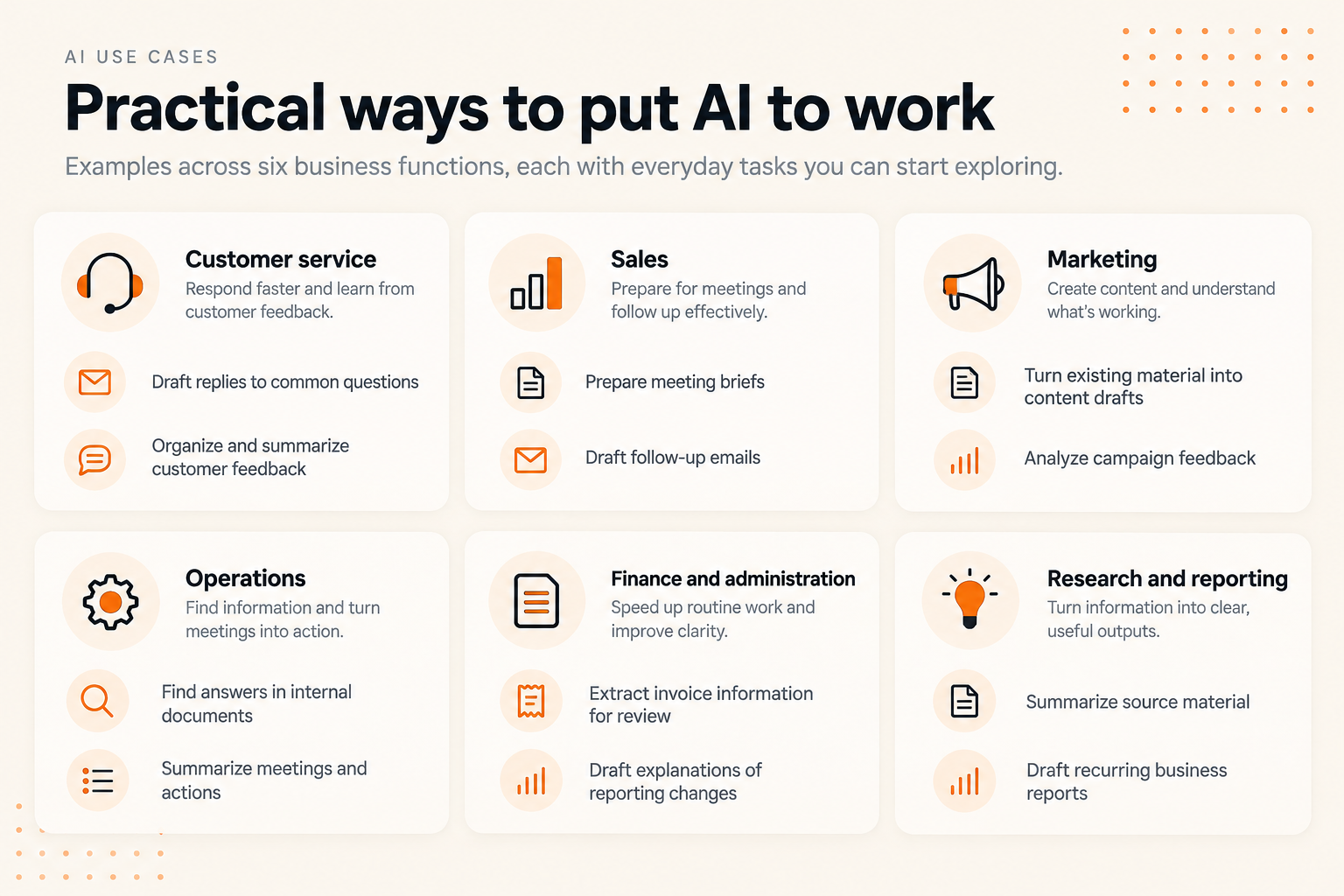
Use this overview to find the department or task closest to your own work. You can recreate the examples in a document, a presentation, or the tools your team already uses.
- Customer service: draft answers and organize feedback.
- Sales: prepare meeting briefs and follow-up emails.
- Marketing: repurpose material and examine campaign feedback.
- Operations: find internal information and organize meeting actions.
- Finance and administration: extract invoice details and explain reporting changes.
- Research and reporting: summarize sources and draft recurring reports.
Customer service: help people find and explain answers
1. Draft replies to common customer questions
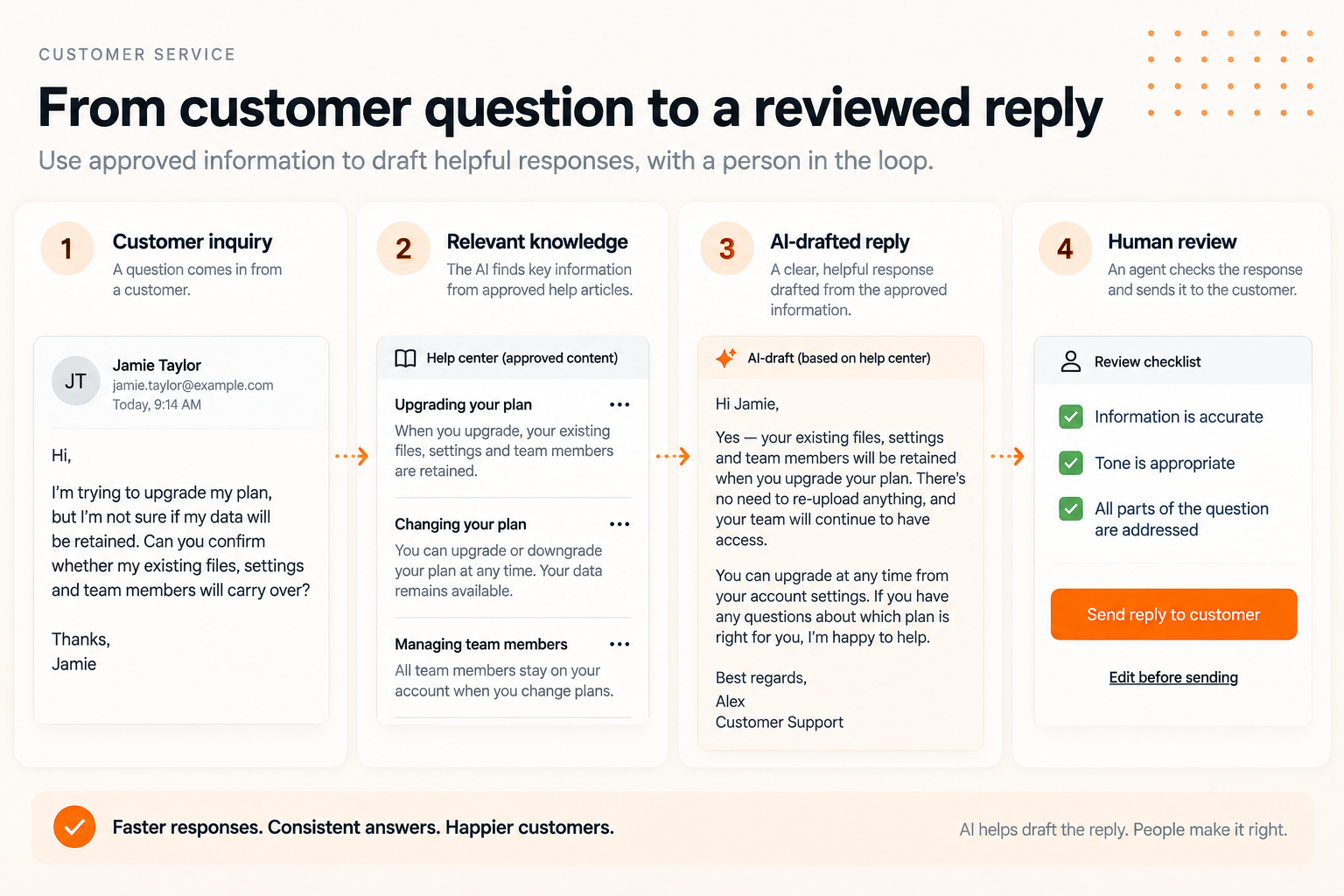
Start with a question your team answers frequently, such as how to change a plan or find an invoice. Supply the question and the relevant approved help material, then ask AI to draft a response using only that information.
For example, a customer asks whether their files will remain available after an upgrade. The source article explains what is retained. AI can turn that explanation into a direct reply, while a support agent checks that it applies to this customer's situation.
Try it: Use a few anonymized past inquiries and the help articles that answer them. Ask for a short reply and a separate note identifying anything the source does not explain. Compare drafting plus review time with your usual process.
Check: Policies, eligibility, account-specific exceptions, and any steps the draft adds. If the source does not explain how to perform an action, have the agent verify the instructions before sending them.
2. Organize and summarize customer feedback
Give AI a set of feedback messages with identifiers and ask it to group them into themes, such as onboarding, pricing, missing features, and reliability. Request supporting message IDs for each theme so someone can inspect the originals.
The useful output is a reviewable summary of what customers said. A collection of support tickets does not represent every customer's opinion, and a frequently mentioned issue is not automatically the most consequential one.
Try it: Review one week's anonymized feedback. Ask for themes, examples, and a separate list of unusual but potentially serious issues. Have a team member check the grouping and count the underlying messages.
Check: Lost context, duplicated comments, and issues that fit more than one category. Measure how much correction the summary needs before your team can use it.
Sales: prepare for conversations and follow through
3. Prepare a brief before a customer meeting
Bring together approved account notes, previous emails, and relevant company information. Ask AI to organize a brief covering the customer's goals, previous discussions, unresolved questions, and possible topics for the meeting.
Keep facts separate from suggestions. A request for a demo is a fact if it appears in the notes. A claim that the customer is ready to buy requires evidence; otherwise it belongs under questions to explore.
Try it: Prepare a one-page brief for an upcoming meeting. Request source references for factual statements and a short list of information that needs confirmation.
Check: Names, roles, dates, and whether the account information is still current. Judge success by preparation time and factual corrections, rather than how polished the brief looks.
4. Draft follow-up emails from meeting notes
Use notes from a completed conversation to draft an email that recaps the discussion and confirms the next step. Tell AI to distinguish agreed commitments from ideas that were only discussed.
For example, “We will send the product documentation” can become a clear action. “Perhaps a pilot next month” should remain a possibility unless the customer agreed to it.
Try it: Provide a short set of approved notes and ask for a concise follow-up with open questions listed separately. Have the salesperson edit and send it.
Check: Pricing, promised capabilities, delivery dates, and commitments. Track whether drafts reduce writing time without increasing corrections or misunderstandings.
Marketing: make more use of the material you have
5. Turn existing material into content drafts
A webinar transcript, research brief, or published article can become the starting point for a newsletter, social posts, or a presentation outline. Specify the audience, format, and purpose of each output.
For example, ask AI to turn an approved tutorial into three short posts, each explaining one useful step. Give it the source material and tell it to preserve the original claims and limitations.
Try it: Choose one existing article and request a newsletter introduction plus three post drafts. Compare the outputs with the original before editing for your voice.
Check: Unsupported statistics, exaggerated claims, and quotes that no longer match the source. Include editing time when deciding whether the process helps.
6. Organize campaign feedback into questions to investigate
Collect campaign comments, customer replies, and observations from the team. Ask AI to identify recurring questions, unclear messaging, and possible objections, with examples supporting each theme.
If comments repeatedly ask who the product is for, that suggests a question about audience clarity. It does not prove why a campaign's conversion rate changed. Treat explanations as hypotheses until you investigate them.
Try it: Analyze feedback from one campaign and ask for three concrete messaging questions to test next. Keep campaign metrics alongside the feedback, with their date ranges and definitions.
Check: Whether themes reflect the actual comments and whether numerical comparisons are correct. The output should help you choose the next test, not invent a reason for every result.
Operations: make information easier to act on
7. Find answers in internal documents
Use a defined set of current procedures or internal guides to answer a question such as, “What information do I need to submit a purchase request?” Ask for the supporting document and section alongside the answer.
For a small first test, a few approved documents may be sufficient. Searching an entire company knowledge base requires more attention to access permissions, document versions, and what happens when sources disagree.
Try it: Choose one procedure and five questions colleagues commonly ask. Test whether the answers match the source, and include a question the documents cannot answer.
Check: Source references, outdated instructions, missing exceptions, and inappropriate disclosure. “The documents do not specify” is a useful answer when information is absent.
8. Turn meeting notes into actions
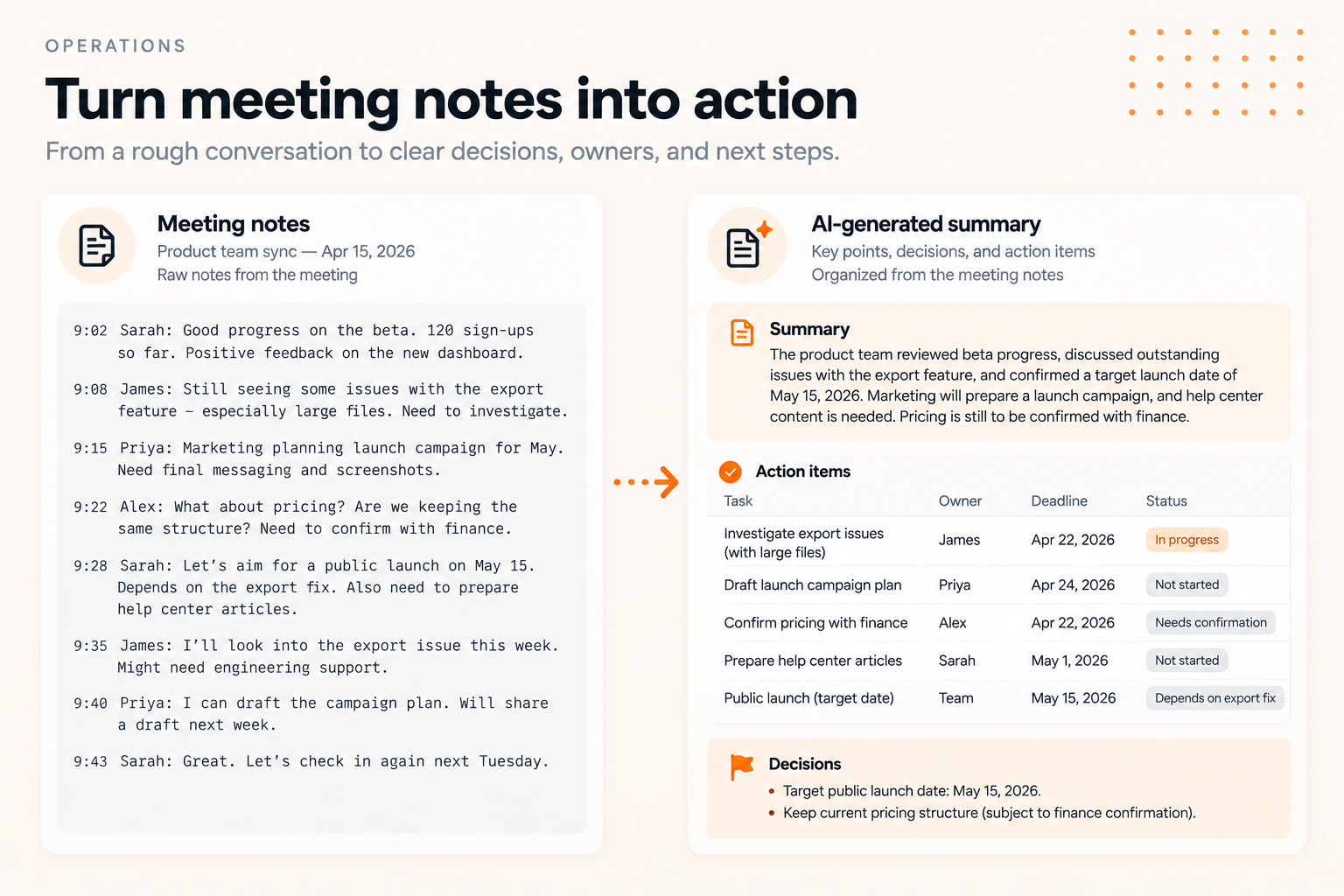
Ask AI to separate a meeting's discussion, decisions, open questions, and actions. For each action, request an owner and deadline only when the notes support them. Mark anything missing as “Needs confirmation.”
This can be particularly useful when rough notes mix project updates with tentative suggestions. A clean summary makes it easier for participants to review what they actually agreed to do.
Try it: Use notes from one meeting and ask participants to review the resulting action list. Resolve missing owners and dates together before treating the list as a plan.
Check: Inferred commitments and invented deadlines. Count how many items participants need to correct, and include that review time in your comparison.
Finance and administration: prepare information for review
9. Extract invoice details into a review list
Ask AI to extract fields such as supplier, invoice number, issue date, due date, currency, subtotal, tax, and total from invoices. Preserve the connection to the source file so a person can check every entry.
The first use case can stop at preparing a review list. Approving a payment or changing a supplier's bank details is a separate action that should remain within your established approval process.
Try it: Use a small set of approved sample invoices, including one with an unclear or missing field. Ask AI to leave uncertain values blank and identify what needs checking.
Check: Decimal places, currencies, duplicate invoices, and whether dates have been interpreted correctly. Verify calculations separately. Measure field-level accuracy and correction time before increasing the scope.
10. Draft explanations of changes in a business report
Provide verified figures and approved context to draft a description of what changed between periods. For example, explain which expense categories increased and include a documented one-time software purchase if it accounts for part of the change.
Separate the observed change from its cause. If the data shows an increase but the reason is unknown, the draft should identify the question to investigate rather than supply a plausible explanation.
Try it: Start with one monthly management report. Calculate the changes in your spreadsheet, then ask AI to explain those verified results in plain language using the context provided.
Check: Percentages, units, period comparisons, and explanations unsupported by the notes. Have the report owner approve the commentary before it is shared.
Research and reporting: turn sources into useful drafts
11. Summarize source material for a specific question
Choose a question before asking AI to summarize documents. “What do these sources say about onboarding difficulties?” produces a more focused task than “Summarize everything.”
Ask for key findings, supporting references, conflicting evidence, and gaps. Keep the source material available so a reader can check whether the summary represents it fairly.
Try it: Supply a few approved documents and request a brief answering one question. Ask AI to distinguish what the sources explicitly say from interpretations that need further investigation.
Check: Quotes, dates, references, omitted qualifications, and whether sources are independent or repeat the same original claim. A summary cannot establish that its underlying sources are correct.
12. Draft a recurring business report
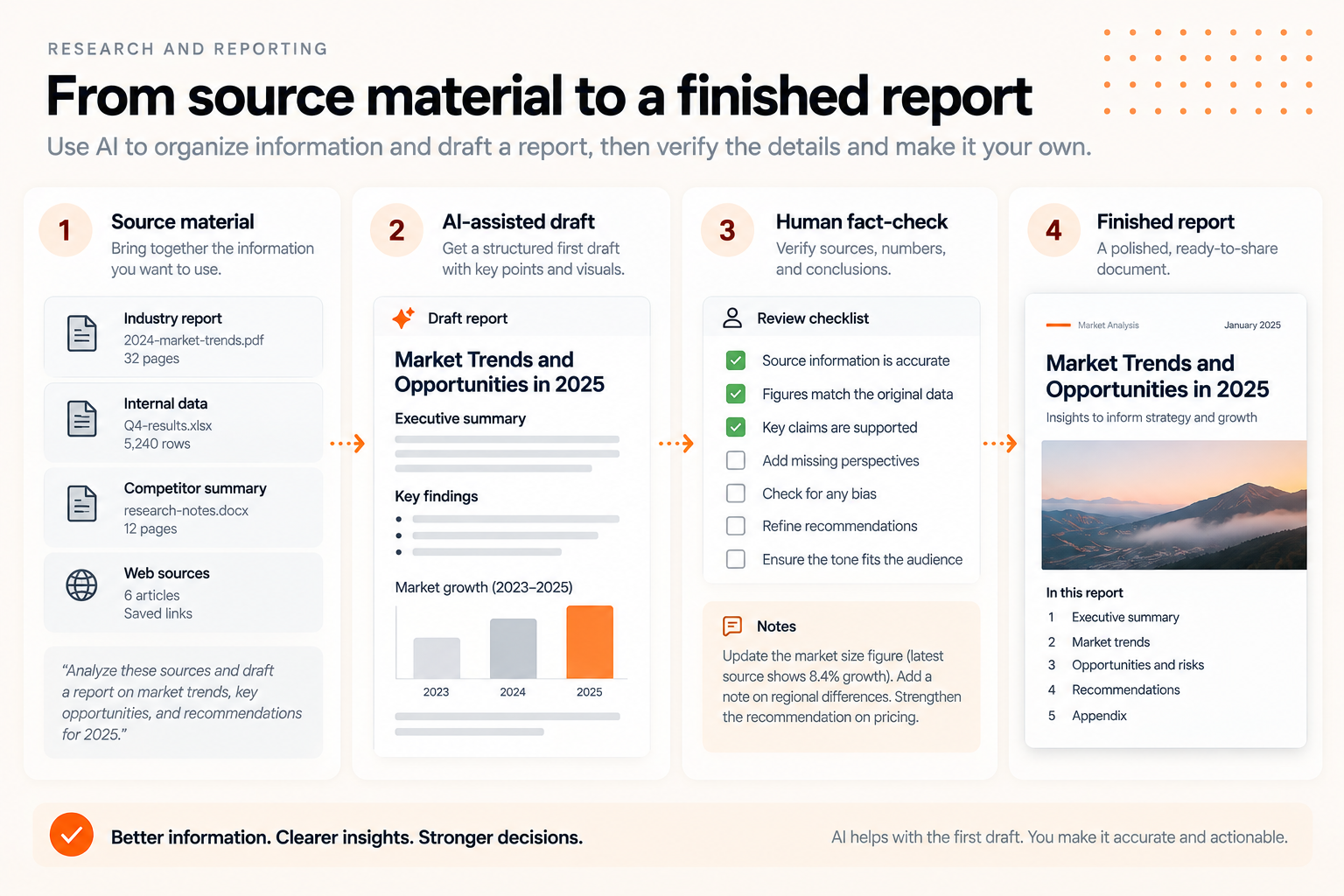
Bring together approved notes, verified figures, and an existing report outline. Ask AI to draft the sections those inputs support and mark the gaps that need a person's contribution.
For a weekly client update, the inputs might include completed work, upcoming milestones, open issues, and confirmed dates. A reviewer checks the draft against those inputs and adds the judgment needed for recommendations.
Try it: Draft one report using the same inputs and structure as your usual process. Compare total preparation time, including review and revisions. Our guide to writing reports with AI explores the drafting process in more detail.
Check: Every important figure, source, conclusion, and recommendation. Keep final responsibility with the person who understands the work and the audience.
Which AI use case should you start with?
Pick a task that happens often enough to test, uses information you can access appropriately, and has a clear standard for a useful result. Keep the scope small enough that you can observe both benefits and problems.
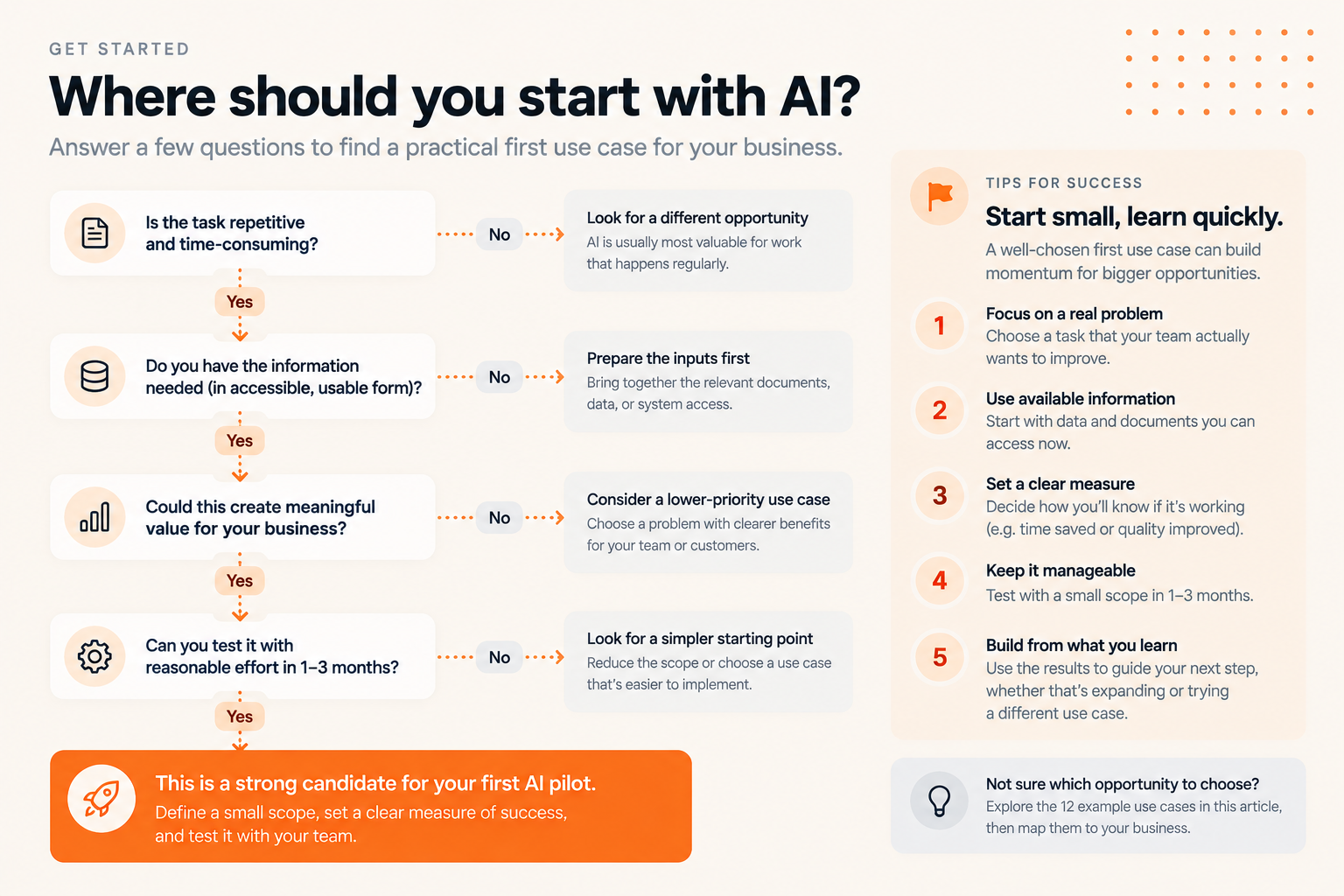
Before choosing, ask five questions:
- Is there a real problem? Identify the time, rework, or frustration you want to reduce.
- Are the inputs ready? Check availability, permission to use them, and whether they contain enough information for the task.
- Can someone judge the result? Name the reviewer and describe what they will check.
- What happens if it is wrong? Keep the first experiment within a scope where mistakes can be caught before causing harm.
- Would a simpler change work? A better template, search function, or fixed automation rule may solve the problem without AI.
For a small business, a sensible starting point might be meeting summaries, internal content drafts, or a single recurring report. The choice depends on your actual bottleneck. There is no need to build a company-wide system to learn whether one workflow improves.
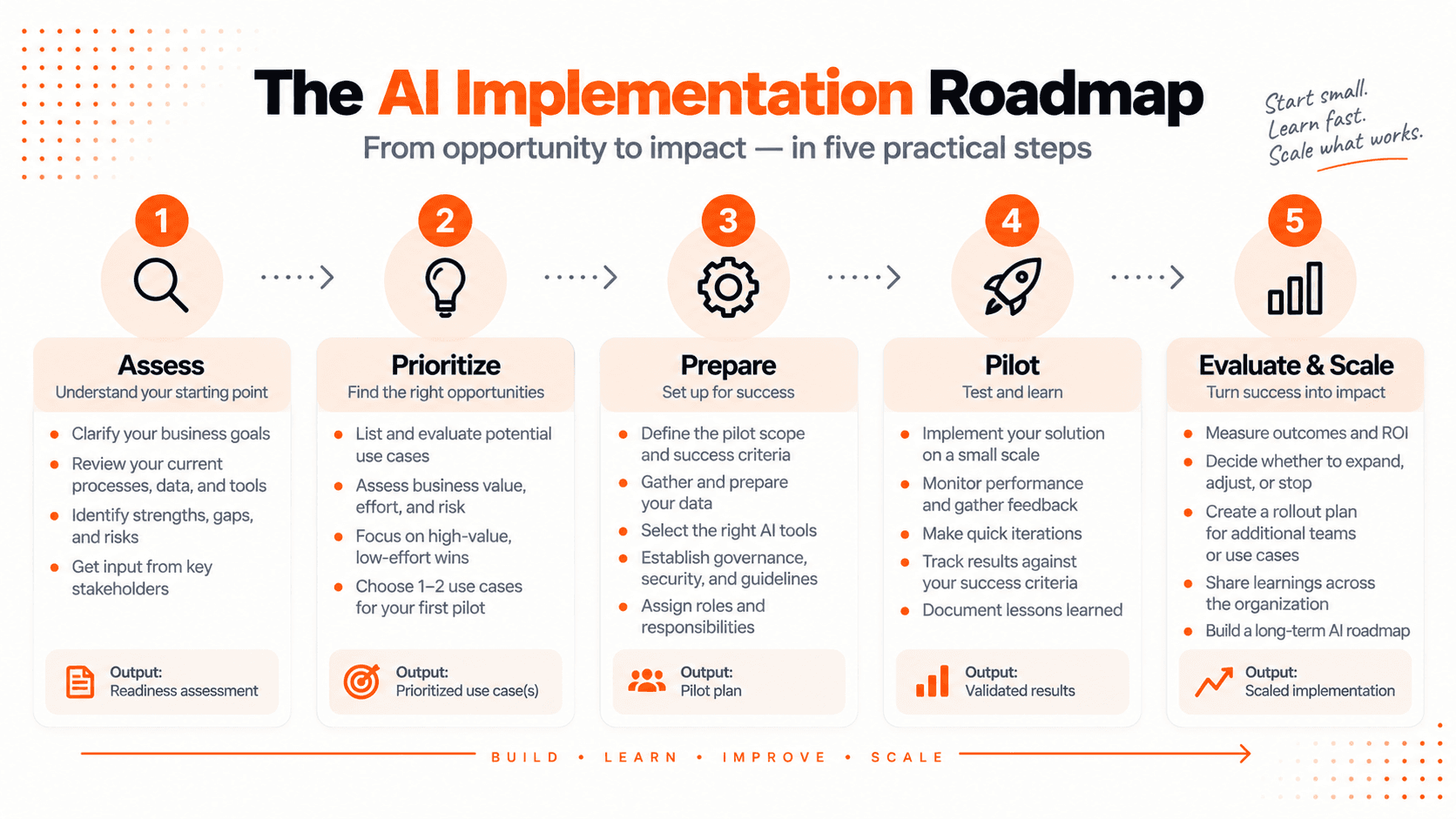
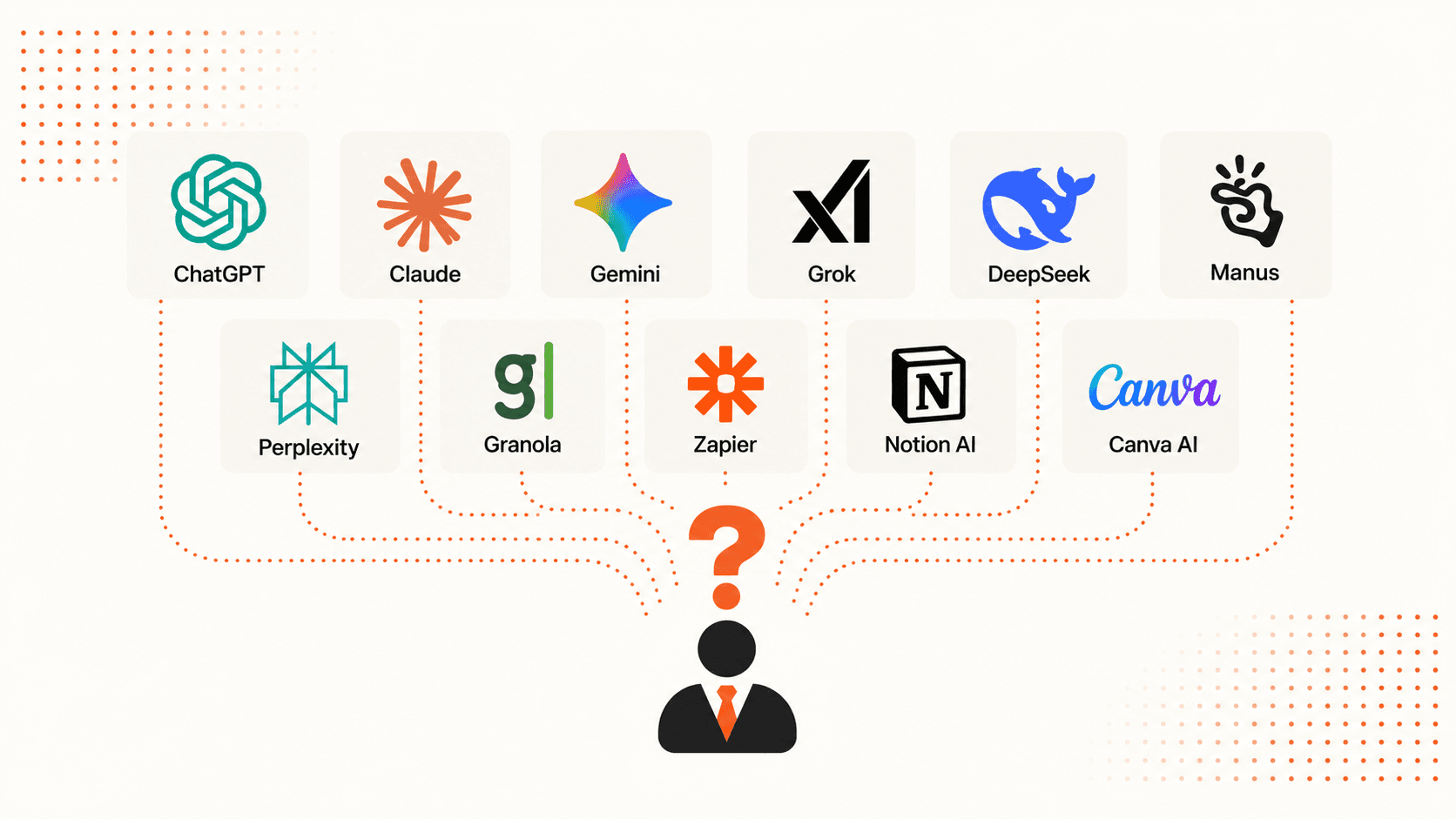
Write down the task, its owner, the current process, and one measure of success. Then use the AI implementation roadmap guide to plan the pilot and decide when to evaluate it. Once the requirements are clear, the AI tools for work comparison can help you explore tool options.
AI use cases in business: common questions
What is the difference between an AI use case and an AI tool?
A use case describes the work you want to improve, such as drafting support replies from approved documentation. A tool is one way to perform part of that work. Define the task, inputs, output, and review requirements before choosing the software.
Do these examples require custom software?
Some can be tested by manually supplying approved information to an existing tool. Connecting systems, maintaining permissions, or taking actions automatically can require additional configuration or development. Start with the simplest test that can answer your question.
How do I know whether AI is saving time?
Compare similar tasks before and during the test. Include preparing inputs, checking outputs, correcting mistakes, and handling failed attempts. A faster first draft is useful only if the finished work meets your quality standard with an acceptable total effort.
Can AI complete these workflows without a person?
These examples deliberately use human review. Moving to automatic actions changes the scope and requires its own evaluation. First establish whether the assisted workflow is useful and reliable enough for the task you have chosen.
Try one example on a task you know
Choose one of the 12 use cases and gather a small set of suitable inputs. Write down what a good result should contain, try the workflow, and compare the output with your usual work.
Keep what helps, record what needs correction, and ask the person doing the task whether the change is worth repeating. That gives you a practical basis for deciding where AI belongs in your business.

ML Clever Team
Product Team
Get new ideas in your inbox.
Practical AI workflows and product notes from ML Clever.